> ## Documentation Index
> Fetch the complete documentation index at: https://domoinc-openapi-sync-dataflows.mintlify.site/llms.txt
> Use this file to discover all available pages before exploring further.
# AI Service Layer Settings
export const InlineImage = ({src, alt = '', height = '1.6em'}) => {
return  ;
};
### Intro
Domo admins have access to the AI Service Layer settings. Here they can view details about the Domo Default Model for each available service.
The available AI services are described below. You can use these services in Jupyter Workspaces, Domo apps, Domo Bricks, and Workflows.
**Text-to-SQL**
This service accepts text and DataSet metadata, such as the schema, as input and generates SQL.
**Text Generation**
This service acts as an ask-and-answer. Enter a question into the input parameter and the service returns an answer.
**Text-to-Beast-Mode**
This service accepts text input and returns operative Beast Mode calculations.
**Text Summarization**
This service accepts text input and generates a summary of the text.
***
### Access AI Service Layer Settings
Access the settings from the navigation header by selecting **More** > **Admin**.
The Admin Settings display.
In the **AI Service Service Layer** menu, select **Services**.
On the **Services** page, select the dropdown and choose from the available services.
;
};
### Intro
Domo admins have access to the AI Service Layer settings. Here they can view details about the Domo Default Model for each available service.
The available AI services are described below. You can use these services in Jupyter Workspaces, Domo apps, Domo Bricks, and Workflows.
**Text-to-SQL**
This service accepts text and DataSet metadata, such as the schema, as input and generates SQL.
**Text Generation**
This service acts as an ask-and-answer. Enter a question into the input parameter and the service returns an answer.
**Text-to-Beast-Mode**
This service accepts text input and returns operative Beast Mode calculations.
**Text Summarization**
This service accepts text input and generates a summary of the text.
***
### Access AI Service Layer Settings
Access the settings from the navigation header by selecting **More** > **Admin**.
The Admin Settings display.
In the **AI Service Service Layer** menu, select **Services**.
On the **Services** page, select the dropdown and choose from the available services.
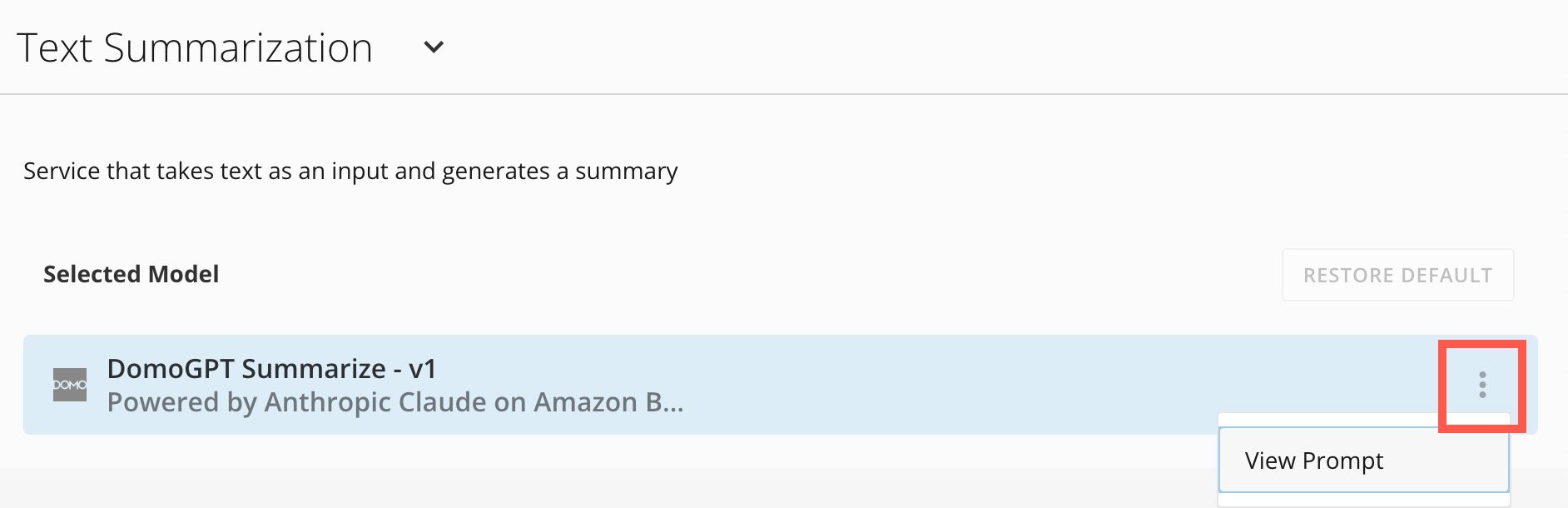
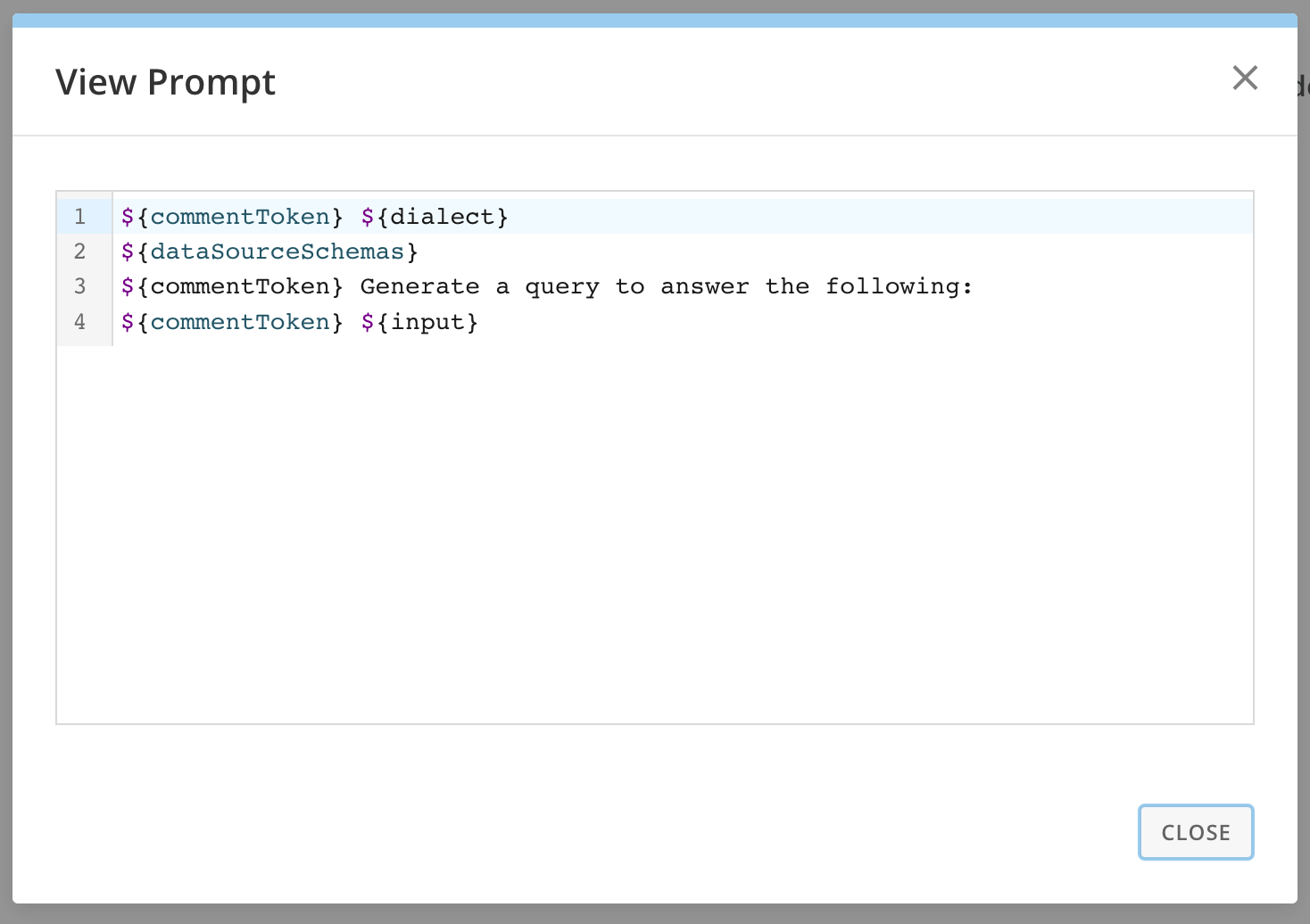
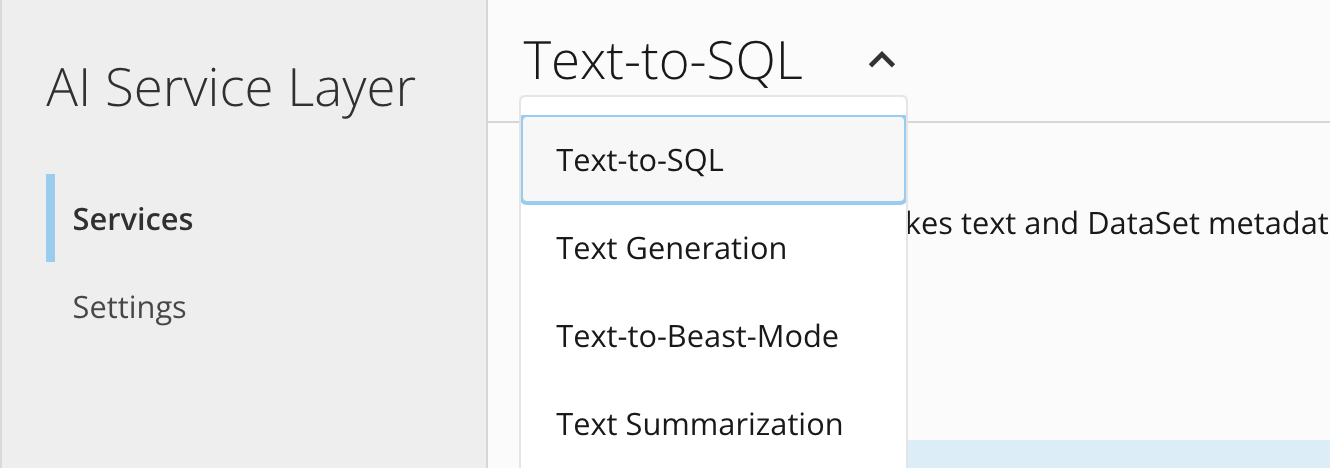 Each service has a Domo Default Model. For the Default Model, select **More** > **View Prompt** to display the prompt for that service.
 These documents will be updated as more functionality is added.