> ## Documentation Index
> Fetch the complete documentation index at: https://domoinc-openapi-sync-dataflows.mintlify.site/llms.txt
> Use this file to discover all available pages before exploring further.
# Magic ETL on BigQuery (Beta)
### Intro
Magic ETL on BigQuery allows you to execute your BigQuery DataSets using Domo data transforms and write results back to BigQuery without moving data or creating complex configurations.
***
### Prerequisites
To use this feature, you need a Domo Cloud Amplifier integration configured for both "read" and "write" capability with your BigQuery account.
Learn more about integrating [BigQuery using Cloud Amplifier.](https://domo-support.domo.com/s/article/000005237?language=en_US)
### Required Grant
To use Magic ETL on BigQuery, users must have the following grant enabled for their role:
* **Edit Adrenaline DataFlow —** Allows users to create, edit, and run Adrenaline DataFlows to which they have access.
### Access Magic ETL on BigQuery
You can use this feature in the Magic ETL interface after completing your BigQuery-Cloud Amplifier transform integration.
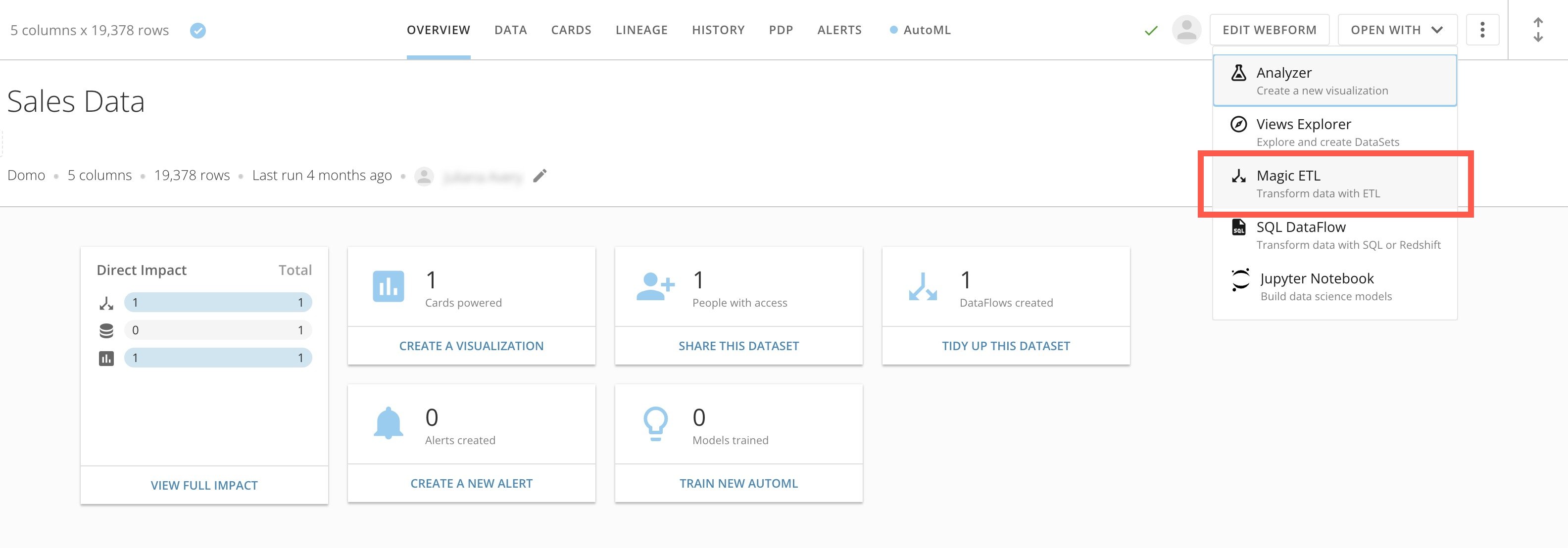
Access Magic ETL from the details page of any DataSet by selecting **Open With** > **Magic ETL**.
###
 ### Use Magic ETL on BigQuery
Magic ETL on BigQuery allows you to use the Magic ETL interface to *define* a data transformation, but the transformation *executes* on BigQuery.
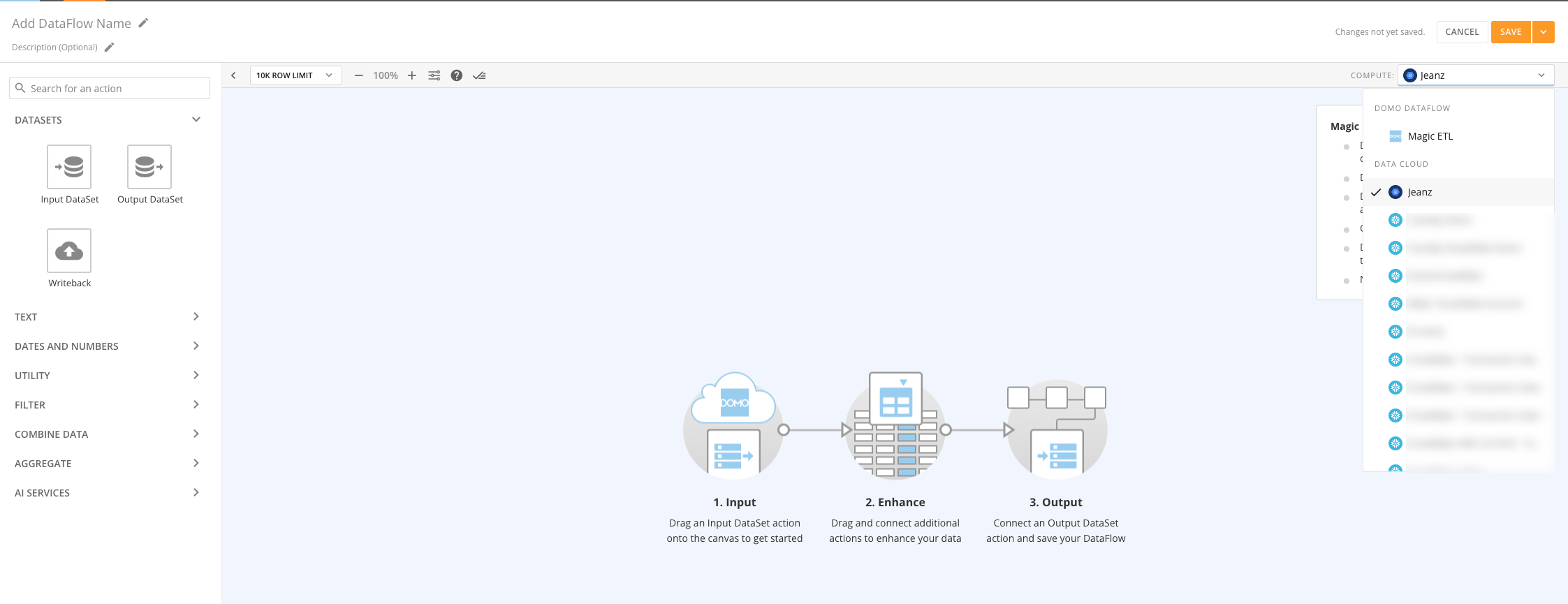
When you configure a BigQuery-Cloud Amplifier integration to allow transform operations, a dropdown displays in the Magic ETL editor, where you can choose where the ETL executes. The dropdown provides options for each of the available BigQuery DataSets.
Follow these steps to define and execute a data transformation:
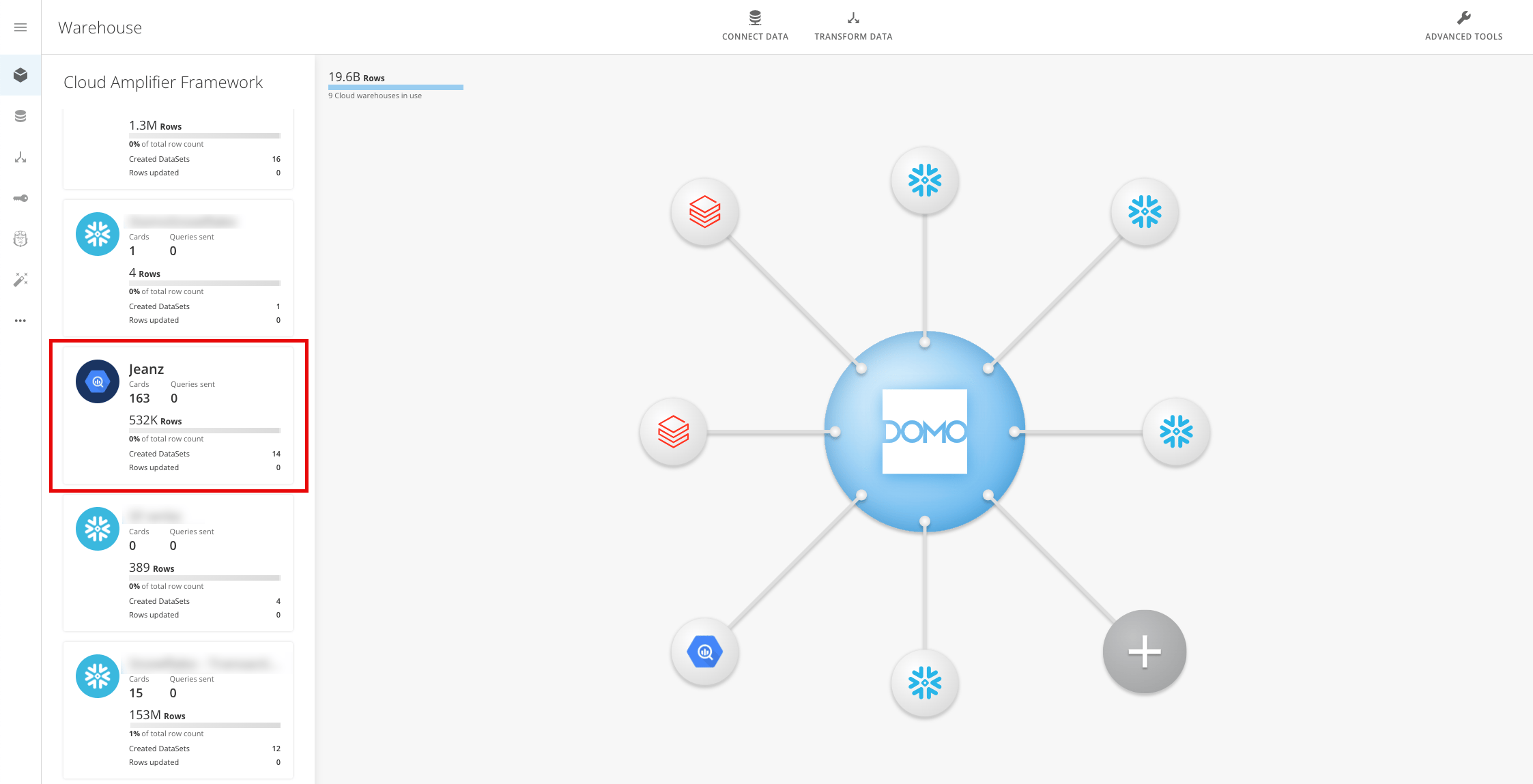
1. Find your BigQuery integration using the connection name. You can find the connection by navigating to **Data** > **Warehouse.**
### Use Magic ETL on BigQuery
Magic ETL on BigQuery allows you to use the Magic ETL interface to *define* a data transformation, but the transformation *executes* on BigQuery.
When you configure a BigQuery-Cloud Amplifier integration to allow transform operations, a dropdown displays in the Magic ETL editor, where you can choose where the ETL executes. The dropdown provides options for each of the available BigQuery DataSets.
Follow these steps to define and execute a data transformation:
1. Find your BigQuery integration using the connection name. You can find the connection by navigating to **Data** > **Warehouse.**
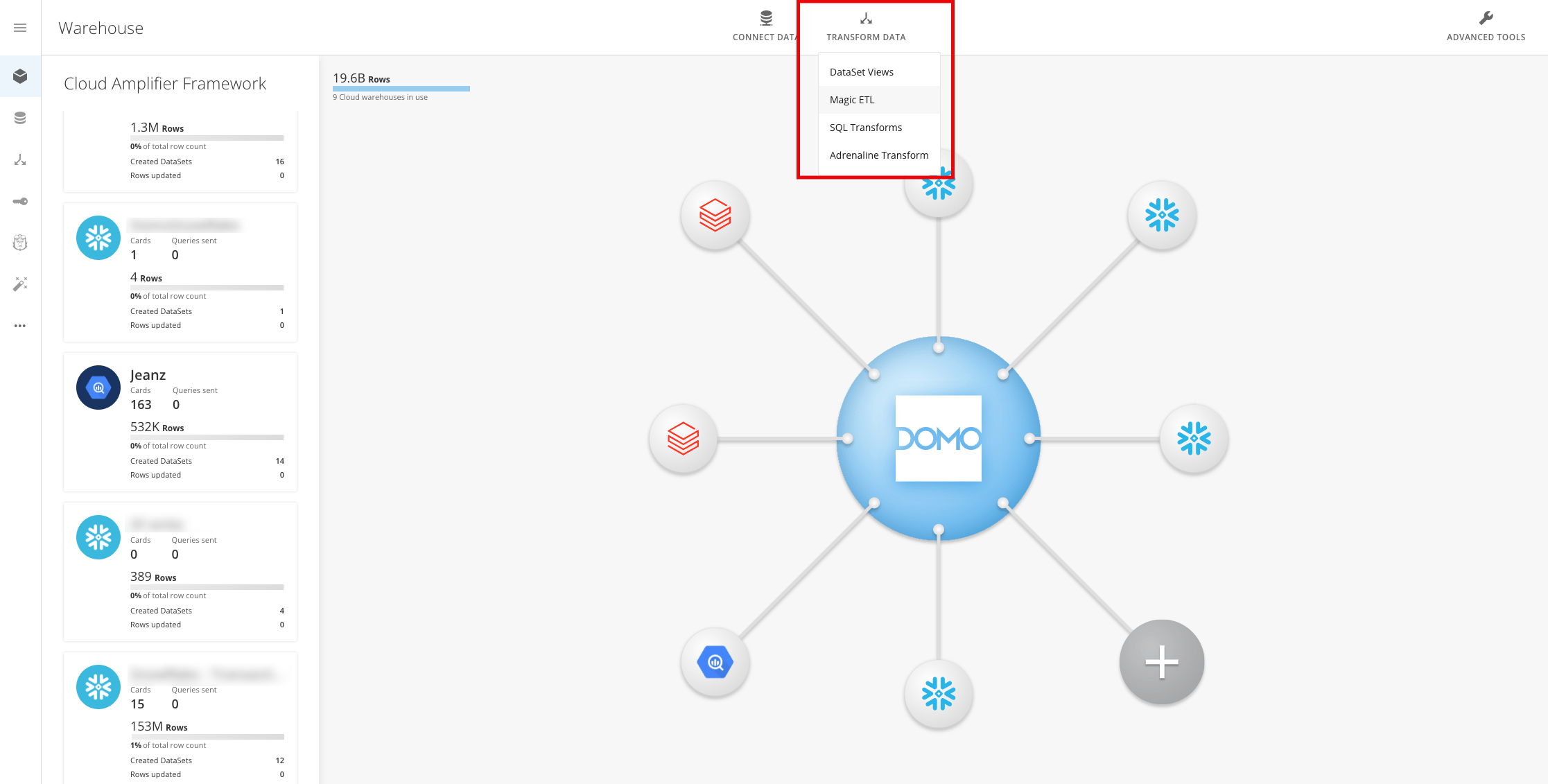
 2. Select **Transform Data** > **Magic ETL.**
 3. Use **Compute** to select your BigQuery integration. This action updates the Magic ETL background to indicate that you are now using Magic ETL on BigQuery.
 4. Select and drag an Input DataSet tile and the DataSet that is connected to the selected BigQuery integration.
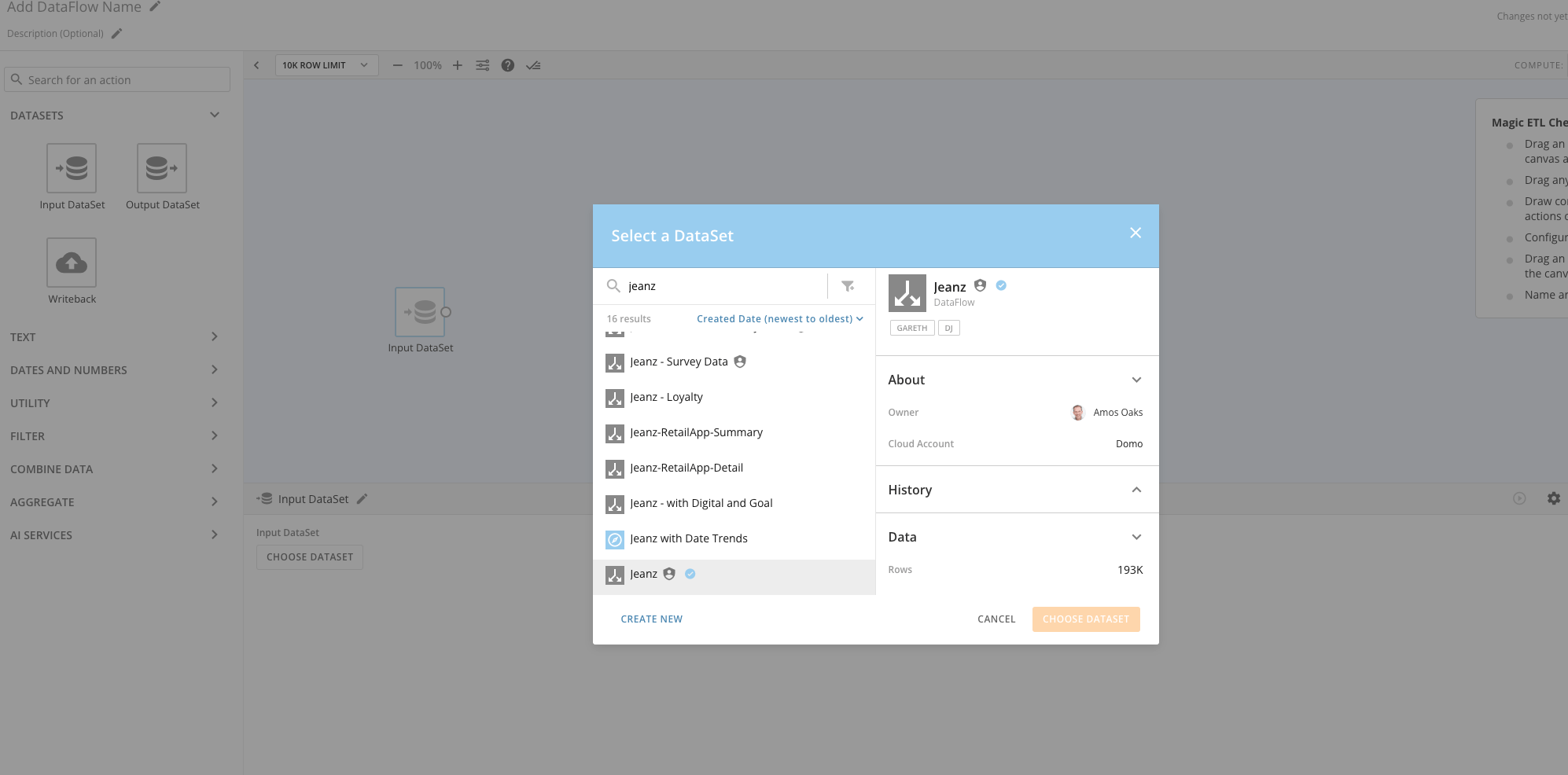 5. Finish creating your DataFlow. Every time your new DataFlow runs, the execution happens in BigQuery.
### FAQ
No, currently, only 'replace' is supported.
No, upserts and partitions are not supported with Magic ETL on BigQuery.
Yes, it executes like any other query.
No, the necessary permissions will already exist when you set up write integration.
Yes, only Domo users with the "Edit Adrenaline DataFlow" grant can perform these executions.
No.
If the DataFlow was set up to upsert or partition, an error will occur. Otherwise, yes.
No, the Python tile is not supported with this integration.
No, the R Scripting tile is not supported with this integration.
Yes, please refer to your sales agreement for credit consumption terms.
5. Finish creating your DataFlow. Every time your new DataFlow runs, the execution happens in BigQuery.
### FAQ
No, currently, only 'replace' is supported.
No, upserts and partitions are not supported with Magic ETL on BigQuery.
Yes, it executes like any other query.
No, the necessary permissions will already exist when you set up write integration.
Yes, only Domo users with the "Edit Adrenaline DataFlow" grant can perform these executions.
No.
If the DataFlow was set up to upsert or partition, an error will occur. Otherwise, yes.
No, the Python tile is not supported with this integration.
No, the R Scripting tile is not supported with this integration.
Yes, please refer to your sales agreement for credit consumption terms.