> ## Documentation Index
> Fetch the complete documentation index at: https://domoinc-openapi-sync-dataflows.mintlify.site/llms.txt
> Use this file to discover all available pages before exploring further.
# Relocate and Rename Tables Using Cloud Amplifier
### Intro
If you're using Cloud Amplifier and relocating or renaming tables is supported for your integration, you can do so from the Details view of your DataSet using the Schema Picker. Moving or renaming the underlying table for a DataSet can make governance easier for Domo administrators.
**Note:** Relocation/renaming is only available for DataSets written by Domo using a Cloud Amplifier integration enabled for writeback.
Learn more about [Cloud Amplifier](/s/article/4412849158167).
### Required Grants
Users must have the following grants to move or rename DataSets using the Schema Picker:
* Manage Cloud Accounts
* Manage DataSet (The user must also have edit access to the particular DataSet.)
### Relocate/Rename a Table
Follow these steps to relocate/rename a table:
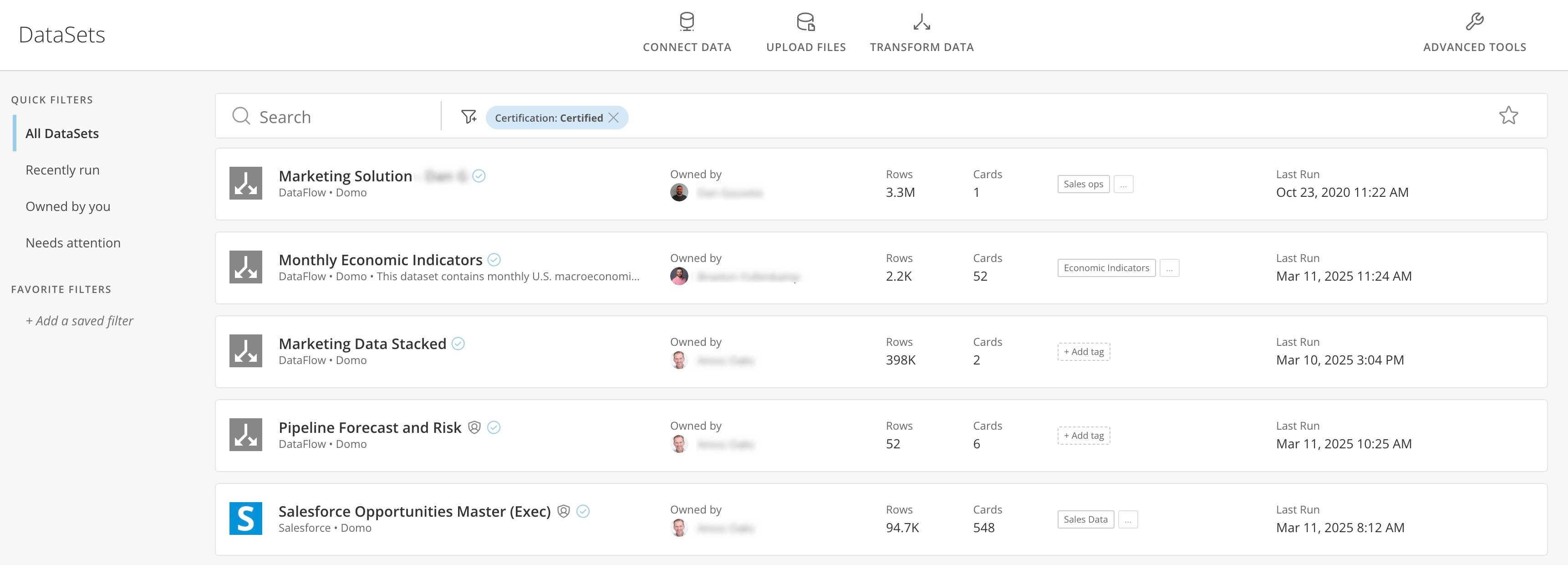
1. Go to **DataSets** in the Date Center (**Data** > **DataSets**).
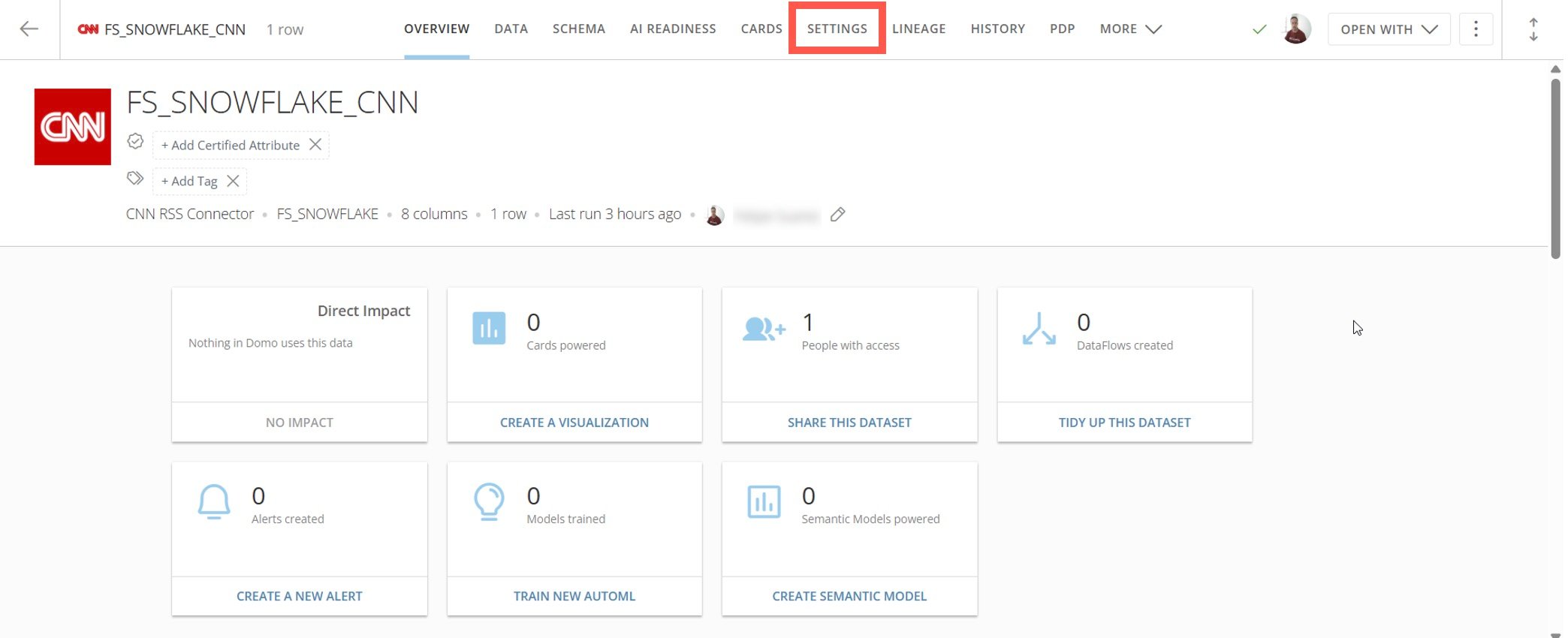
 2. Locate the DataSet and select it to view its Details. Go to the **Settings** tab.
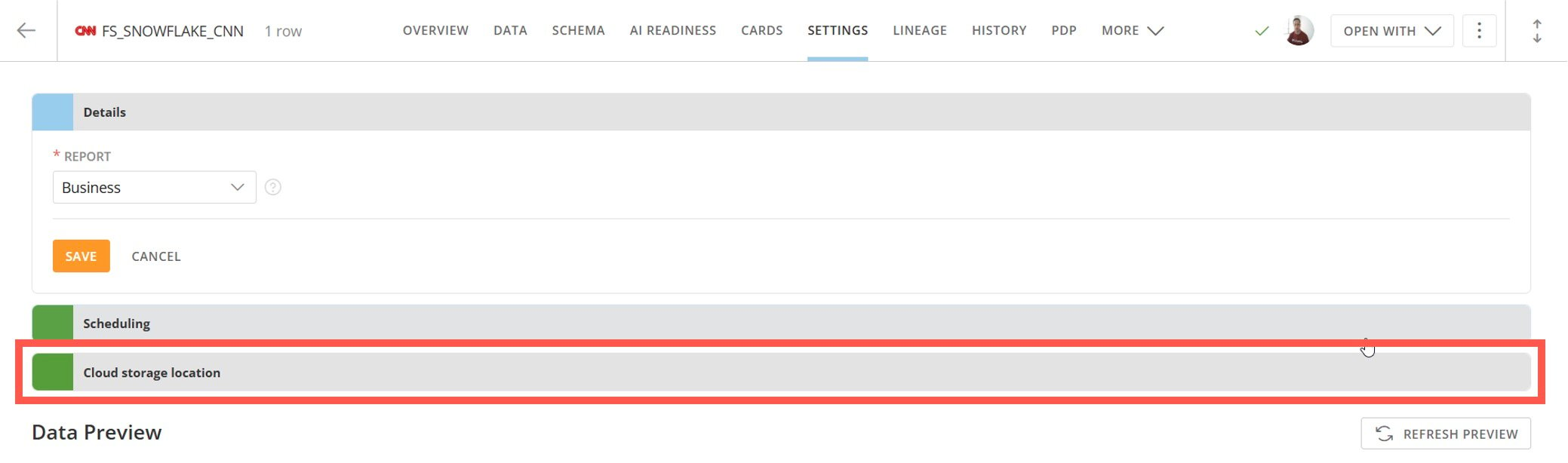
 3. Select **Cloud storage location** to expand it.
 There are three fields under **Cloud storage location** labeled **Database, Schema**, and **Table**. You can type in each box to choose a different item of that type.
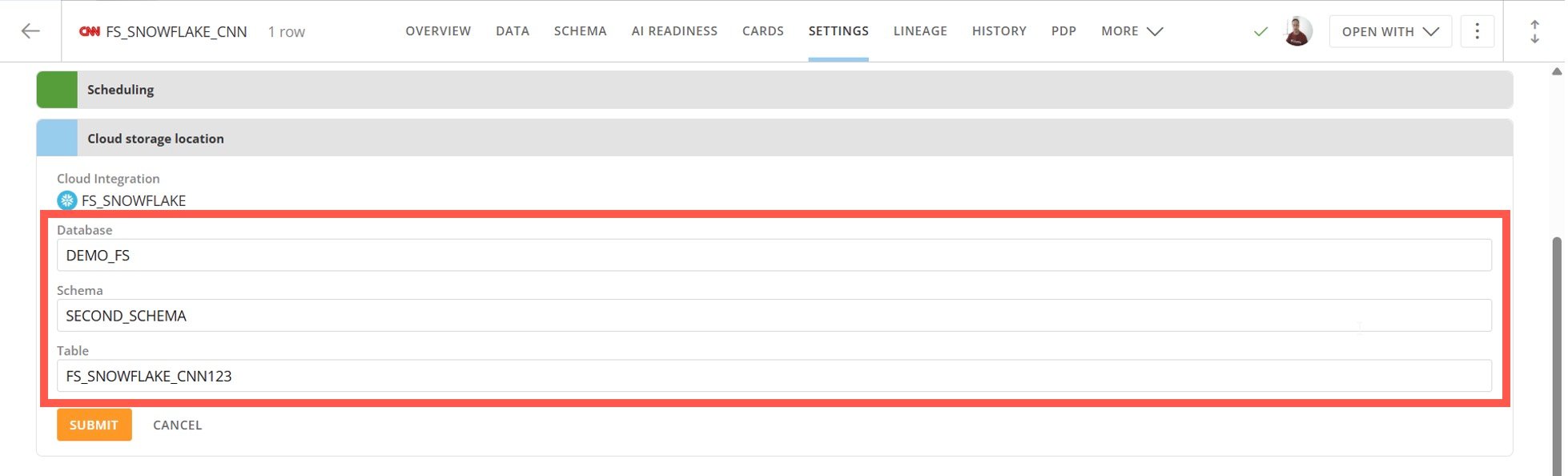 4. Relocate or rename a table by following the appropriate steps below:
* To relocate a table, change the **Database** and **Schema** and select **Submit**.
* To rename a table, change the **Table** name and select **Submit**.
A message confirms that the relocation/renaming operation succeeded.
### FAQ
Make sure that your DataSet was written by Domo. The Schema Picker is only supported for Domo-written DataSets.
No. At this time, the Schema Picker is only supported for Snowflake.
An indexing operation could be in progress. if your DataSet is large and indexing is in progress, the relocating or renaming process may be queued and executed after the indexing operation ends.
Yes. At the moment, they are not displayed in the UI. You can change the location of your DataSets by using the Schema Picker in the DataSet Details.
4. Relocate or rename a table by following the appropriate steps below:
* To relocate a table, change the **Database** and **Schema** and select **Submit**.
* To rename a table, change the **Table** name and select **Submit**.
A message confirms that the relocation/renaming operation succeeded.
### FAQ
Make sure that your DataSet was written by Domo. The Schema Picker is only supported for Domo-written DataSets.
No. At this time, the Schema Picker is only supported for Snowflake.
An indexing operation could be in progress. if your DataSet is large and indexing is in progress, the relocating or renaming process may be queued and executed after the indexing operation ends.
Yes. At the moment, they are not displayed in the UI. You can change the location of your DataSets by using the Schema Picker in the DataSet Details.