> ## Documentation Index
> Fetch the complete documentation index at: https://domoinc-openapi-sync-dataflows.mintlify.site/llms.txt
> Use this file to discover all available pages before exploring further.
# 2025 Release 1 | January
export const InlineImage = ({src, alt = '', height = '1.6em'}) => {
return  ;
};
***
## New Features and Enhancements
### Activity Log Updates
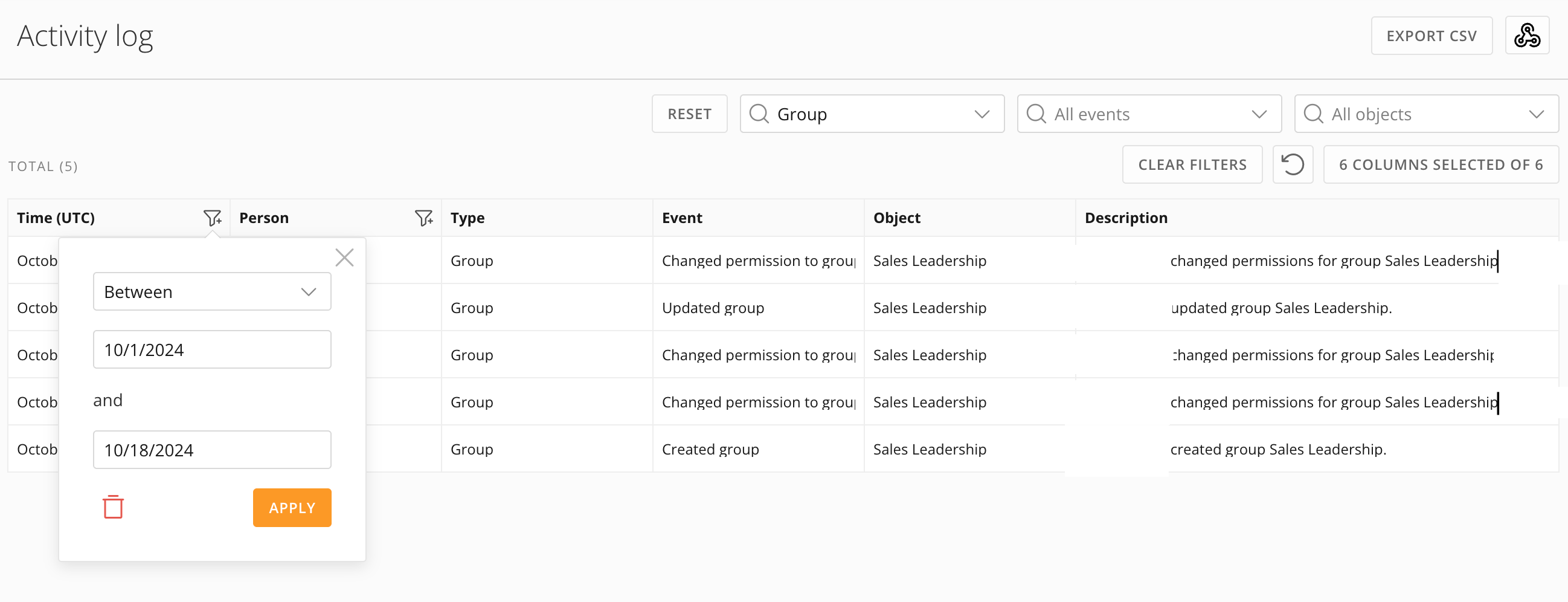
We have converted the Activity Log to React. The following improvements come with this update:
* More intuitive event filtering with Event Type and Event broken out into separate dropdown filters.
* Date and Person filtering are now built into the column header rather than being separated into dropdown filter elements.
* A more compact user experience, making better use of space.
See [Activity Log](/s/article/360042934574) in the Knowledge Base.
;
};
***
## New Features and Enhancements
### Activity Log Updates
We have converted the Activity Log to React. The following improvements come with this update:
* More intuitive event filtering with Event Type and Event broken out into separate dropdown filters.
* Date and Person filtering are now built into the column header rather than being separated into dropdown filter elements.
* A more compact user experience, making better use of space.
See [Activity Log](/s/article/360042934574) in the Knowledge Base.
 ### AI Chat Updates
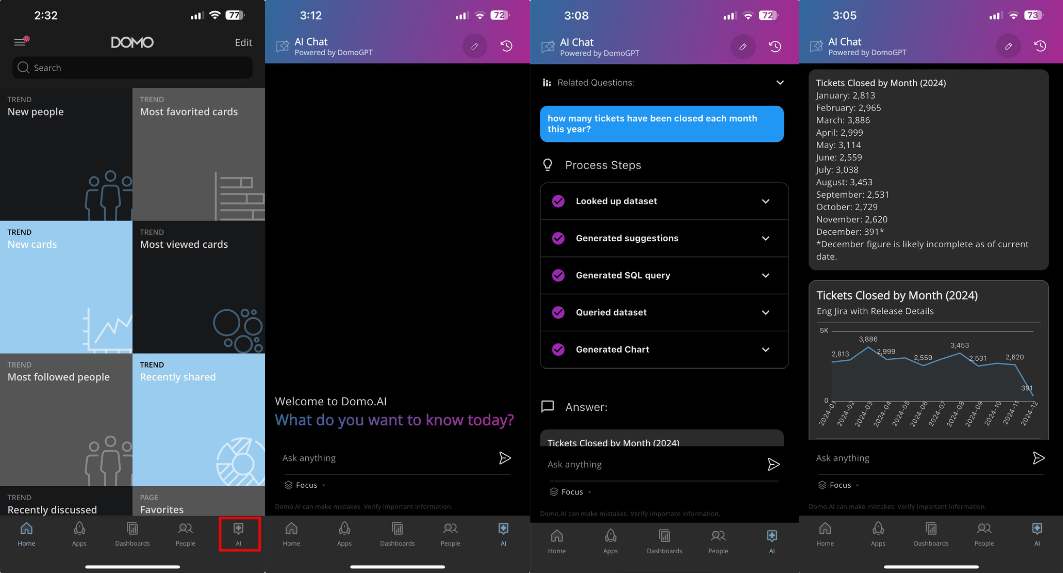
AI Chat is now available in the mobile app and Embed.
Ask a question about your data and AI Chat answers, providing a detailed breakdown of how it reached the response. You'll also get visualizations, data context, and prompts for additional questions. Go beyond natural language queries and let AI Chat help you accomplish tasks like setting an alert, calling an AI model, and more.
### AI Chat Updates
AI Chat is now available in the mobile app and Embed.
Ask a question about your data and AI Chat answers, providing a detailed breakdown of how it reached the response. You'll also get visualizations, data context, and prompts for additional questions. Go beyond natural language queries and let AI Chat help you accomplish tasks like setting an alert, calling an AI model, and more.
 Learn more about [AI Chat](/s/article/000005539).
### App Studio Updates
#### Actual Size Editor Settings
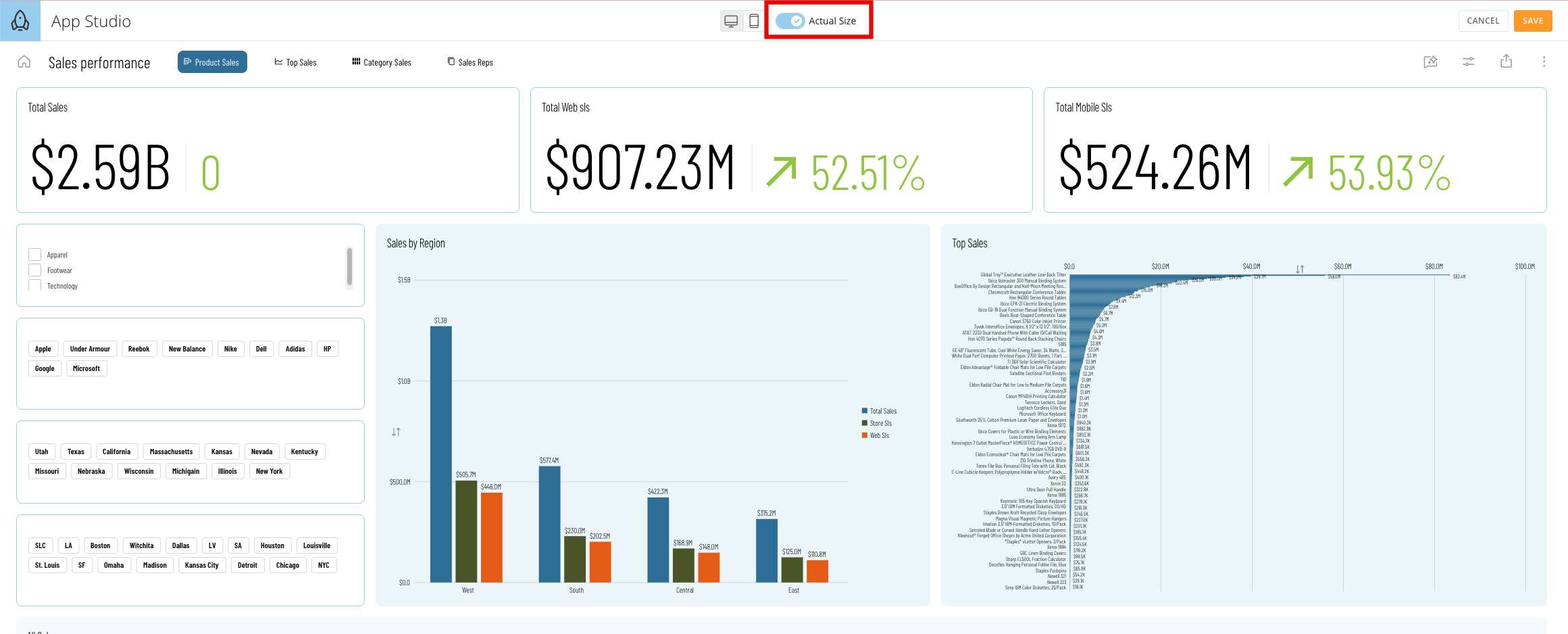
The Actual Size Editor allows you to edit your layout in its actual output or preview state without experiencing layout sizing issues when creating a new app layout.
Learn more about [AI Chat](/s/article/000005539).
### App Studio Updates
#### Actual Size Editor Settings
The Actual Size Editor allows you to edit your layout in its actual output or preview state without experiencing layout sizing issues when creating a new app layout.
 #### Import App Pages
You can now use the Import App Pages feature in App Studio to copy and duplicate multiple pages from one app to another.
#### Import App Pages
You can now use the Import App Pages feature in App Studio to copy and duplicate multiple pages from one app to another.
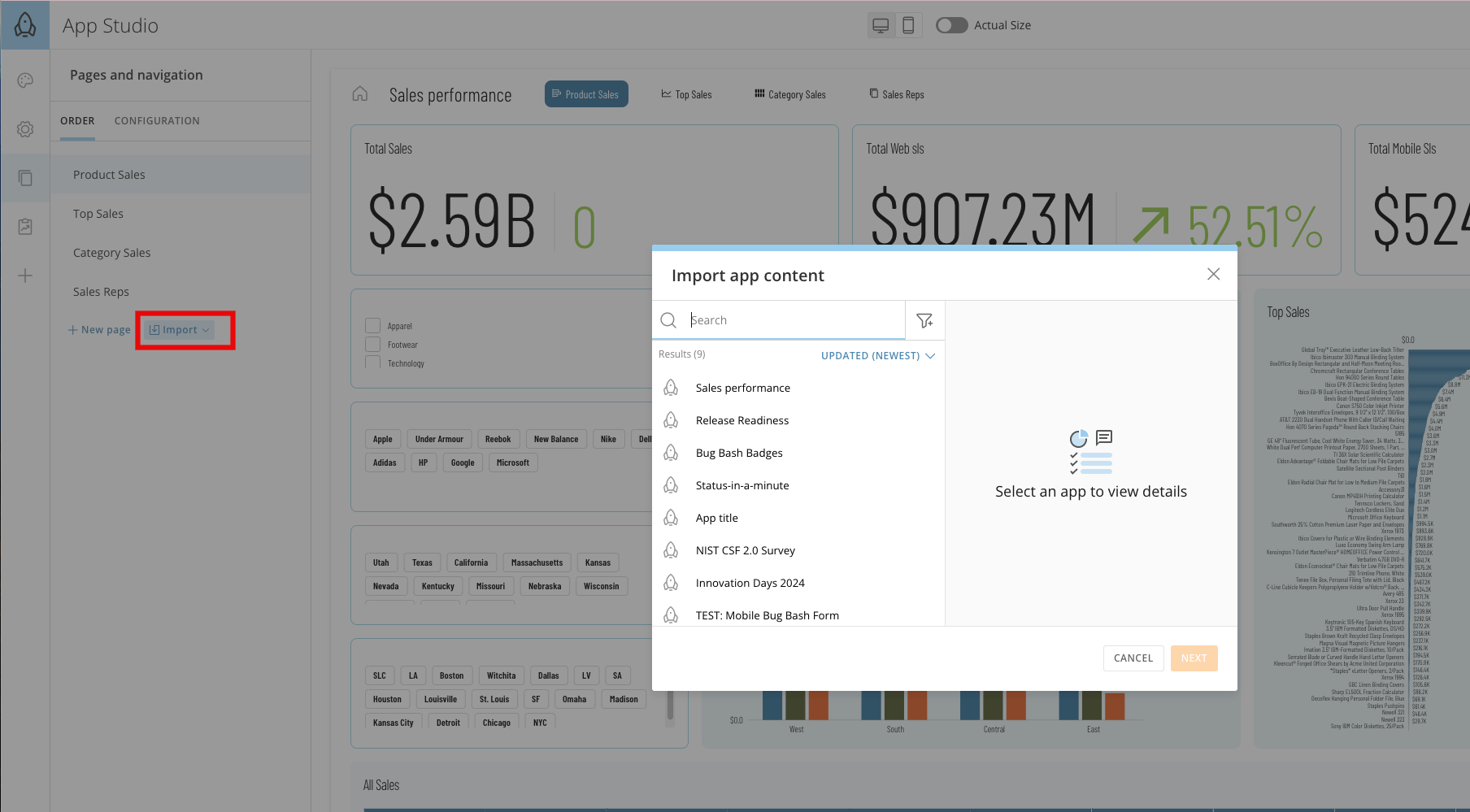 Learn how to create in [App Studio](/s/article/000005295).
### Cloud Amplifier Updates
#### Automatic Migration from Federated to Cloud Amplifier
You can now migrate your federated DataSets into Cloud Amplifier without needing to work with Domo support or engineering.
Learn how to create in [App Studio](/s/article/000005295).
### Cloud Amplifier Updates
#### Automatic Migration from Federated to Cloud Amplifier
You can now migrate your federated DataSets into Cloud Amplifier without needing to work with Domo support or engineering.
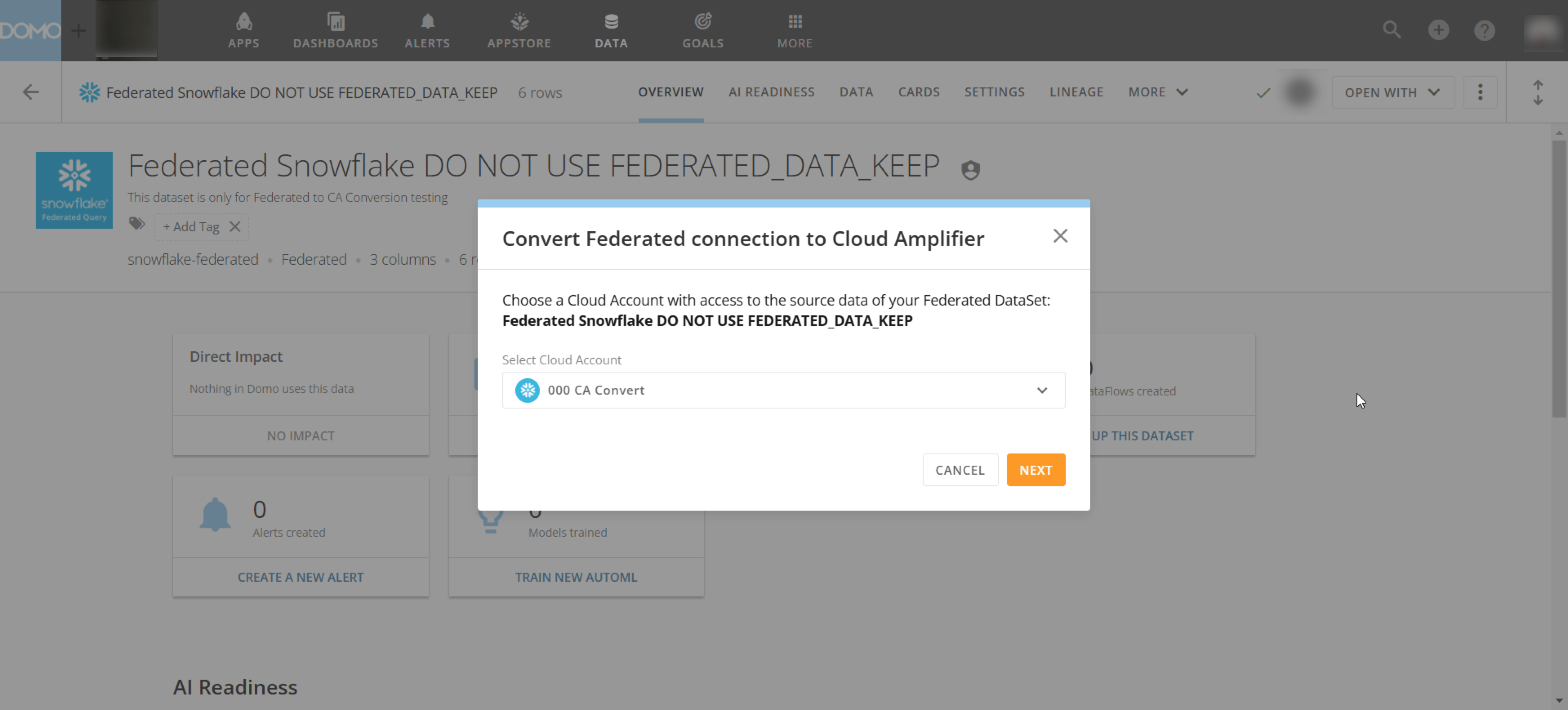 Learn more about the [automatic migration from Federated to Cloud Amplifier](https://domo-support.domo.com/s/article/000005675?language=en_US).
#### Databricks AWS Write-back Support
Learn more about the [automatic migration from Federated to Cloud Amplifier](https://domo-support.domo.com/s/article/000005675?language=en_US).
#### Databricks AWS Write-back Support
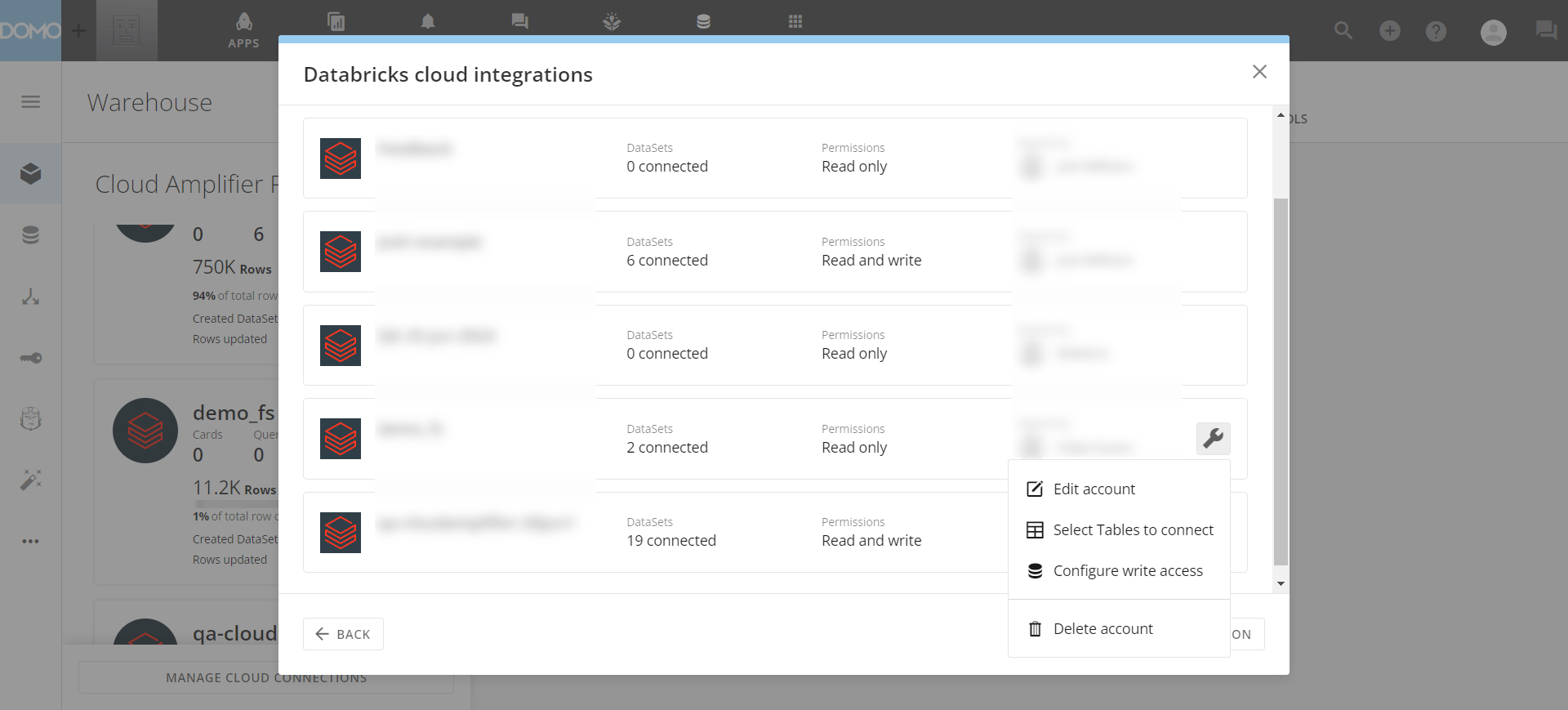
 You can now write ETL outputs directly to Databricks. This capability allows for fewer user restrictions and helps you maintain a single source of truth in your data.
Learn how to set up read-only and write-back integrations for [Databricks with Cloud Amplifier](/s/article/000005289).
You can now write ETL outputs directly to Databricks. This capability allows for fewer user restrictions and helps you maintain a single source of truth in your data.
Learn how to set up read-only and write-back integrations for [Databricks with Cloud Amplifier](/s/article/000005289).
 #### Snowflake O-Auth Support
 Domo now prompts users to authenticate in Snowflake before they can see the data. This adds another layer of security and ensures that Domo uses the appropriate warehouse resources when querying this data.
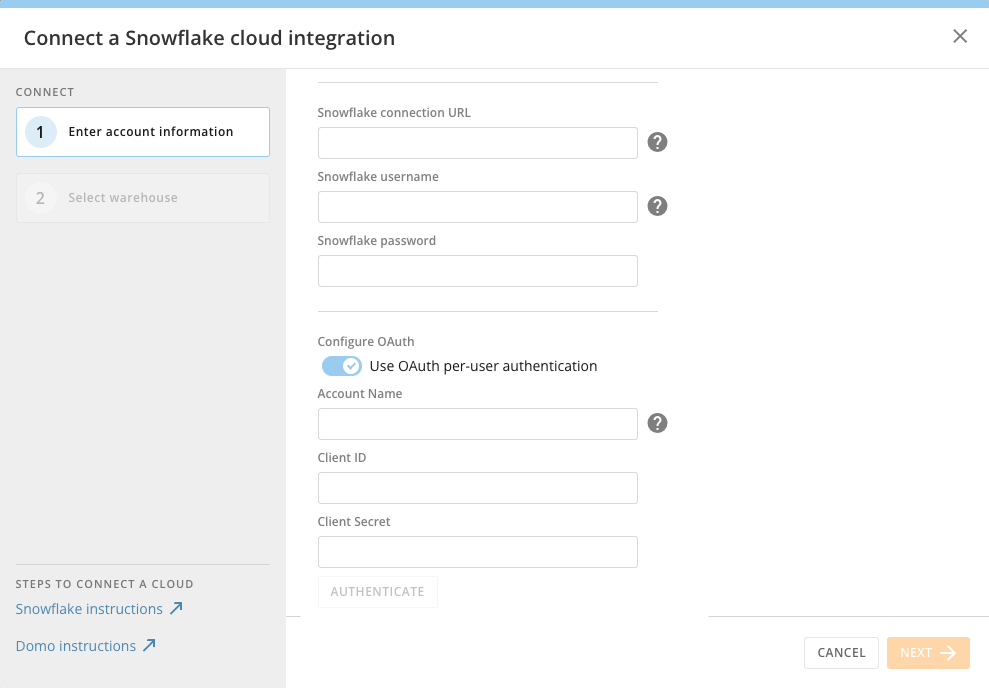 Learn more about [OAuth support for Snowflake](https://domo-support.domo.com/s/article/4402322966807?language=en_US#oauth_configuration).
### Connectors Updates
#### Connector Access Permissioning
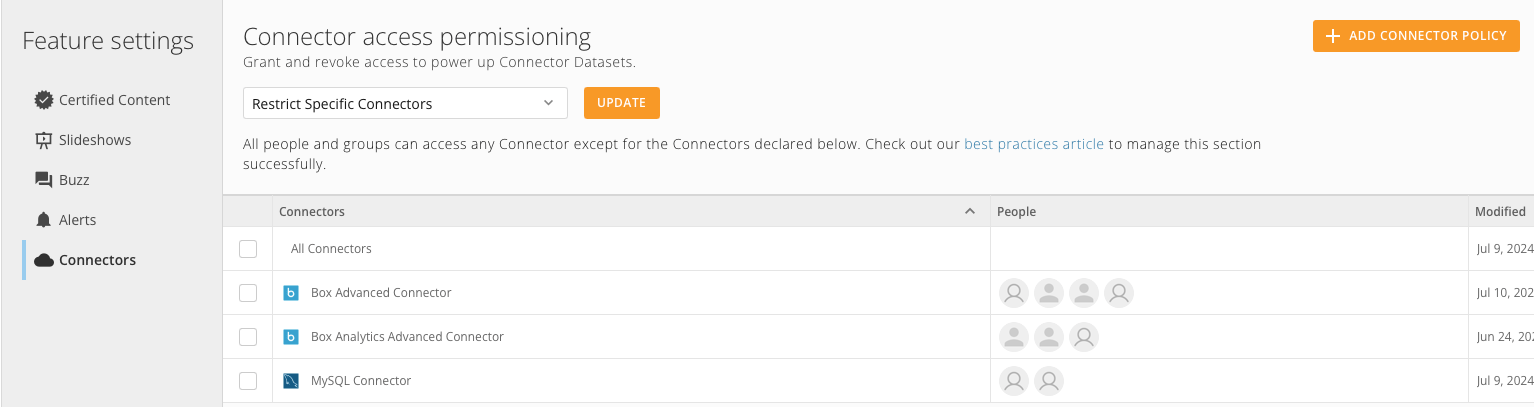
You can now set policies and restrict or allow access to connectors in the Appstore using instance permissioning. This feature lets Domo admins remove or grant access to specific connectors from the admin panel for specific users or groups.
Learn more about [OAuth support for Snowflake](https://domo-support.domo.com/s/article/4402322966807?language=en_US#oauth_configuration).
### Connectors Updates
#### Connector Access Permissioning
You can now set policies and restrict or allow access to connectors in the Appstore using instance permissioning. This feature lets Domo admins remove or grant access to specific connectors from the admin panel for specific users or groups.
 Learn more about [Instance Permissioning](https://domo-support.domo.com/s/article/1500002094122?language=en_US).
#### MS Fabric
Learn more about [Instance Permissioning](https://domo-support.domo.com/s/article/1500002094122?language=en_US).
#### MS Fabric
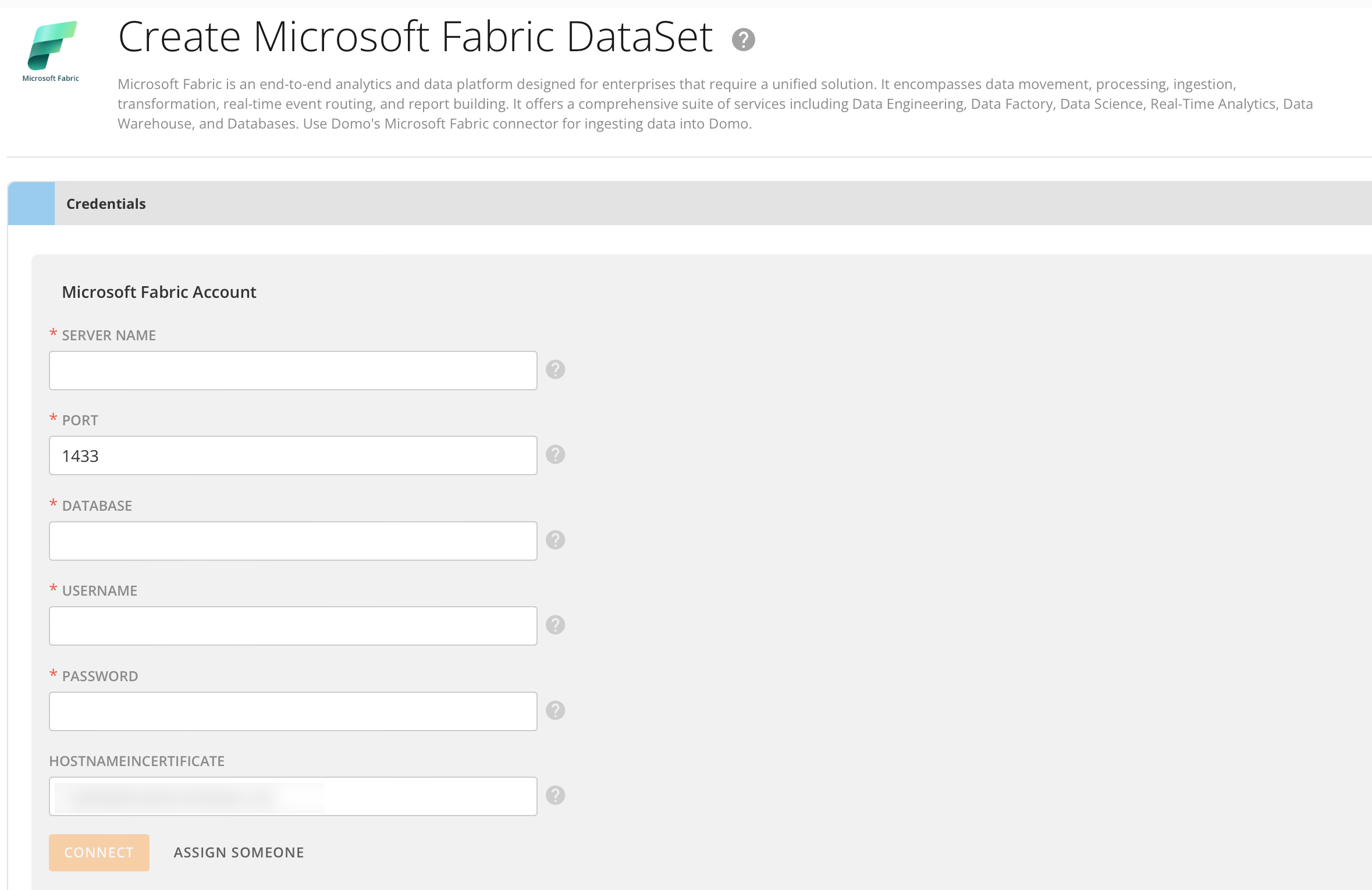
 The new MS Fabric connector lets you easily connect Domo to your MS Fabric instance, simplifying your data pipeline.
 Learn more about the [MS Fabric connector](https://domo-support.domo.com/s/article/000005663?language=en_US).
### DomoStats: Groups Report
Learn more about the [MS Fabric connector](https://domo-support.domo.com/s/article/000005663?language=en_US).
### DomoStats: Groups Report
 The DomoStats Groups report lists Domo groups and relevant attributes.
This report includes valuable information like:
* Group Name
* Group Type
* Created Date
* Creator Id
The Groups report can be joined with other group-related reports, such as the DataSet Access report. Learn more about [DomoStats](/s/article/360043433813).
**Note:** A previous DomoStats report provided information on group memberships. This report was incorrectly named "Groups" and has been renamed "Group Members."
### Groups Updates
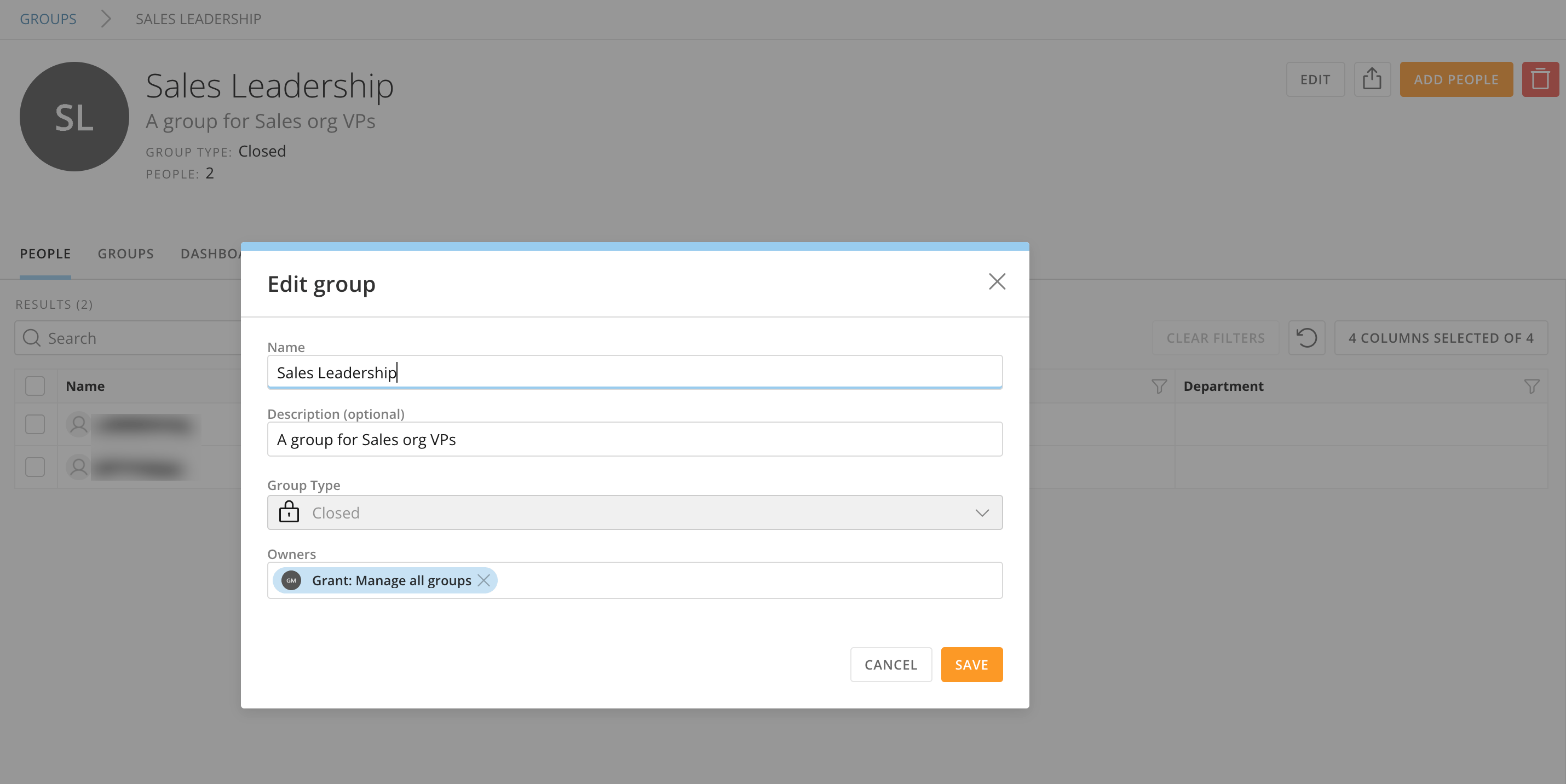
The Group Details page has been converted to React. Group Name, Description, Type, and Owner can now be edited in a single modal experience.
Learn more about [Groups](/s/article/360042934294) in Domo.
The DomoStats Groups report lists Domo groups and relevant attributes.
This report includes valuable information like:
* Group Name
* Group Type
* Created Date
* Creator Id
The Groups report can be joined with other group-related reports, such as the DataSet Access report. Learn more about [DomoStats](/s/article/360043433813).
**Note:** A previous DomoStats report provided information on group memberships. This report was incorrectly named "Groups" and has been renamed "Group Members."
### Groups Updates
The Group Details page has been converted to React. Group Name, Description, Type, and Owner can now be edited in a single modal experience.
Learn more about [Groups](/s/article/360042934294) in Domo.
 ### Magic ETL
#### ORDER and LIMIT Tiles
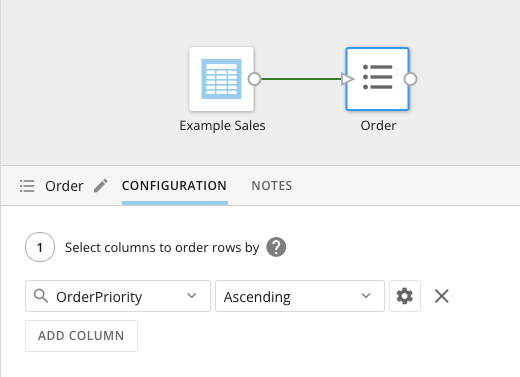
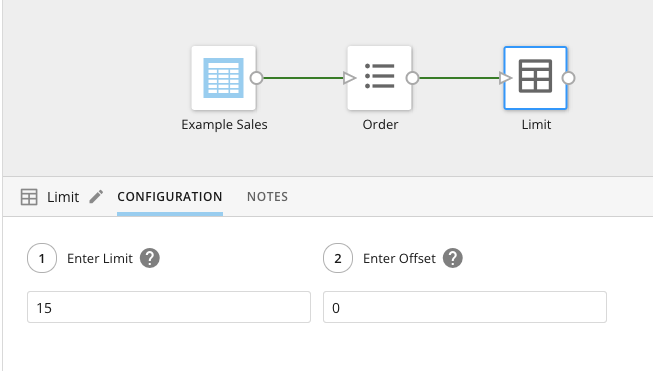
The ORDER and LIMIT tiles in Magic ETL allow you to optimize how functions are performed later in the DataFlow.
* The ORDER tile allows you to specify how to order the columns in your DataFlow.
### Magic ETL
#### ORDER and LIMIT Tiles
The ORDER and LIMIT tiles in Magic ETL allow you to optimize how functions are performed later in the DataFlow.
* The ORDER tile allows you to specify how to order the columns in your DataFlow.
 * The LIMIT tile lets you choose the number of rows in the output DataSet.
 Learn about ORDER, LIMIT, and the other Magic ETL [Utility Tiles](/s/article/360044876874).
#### Column Search
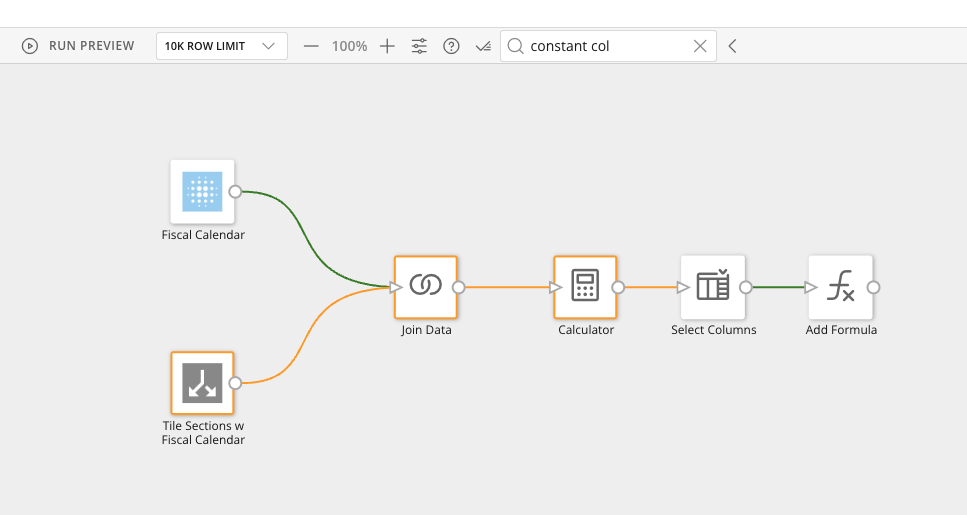
Column Search in Magic ETL allows you to search for a column name. The matching tiles where the column is available in the schema are highlighted.
Learn about ORDER, LIMIT, and the other Magic ETL [Utility Tiles](/s/article/360044876874).
#### Column Search
Column Search in Magic ETL allows you to search for a column name. The matching tiles where the column is available in the schema are highlighted.
 Learn how to [create a Magic ETL DataFlow](/s/article/360055259234).
### New Data Types for Alerts to Workflow Mappings
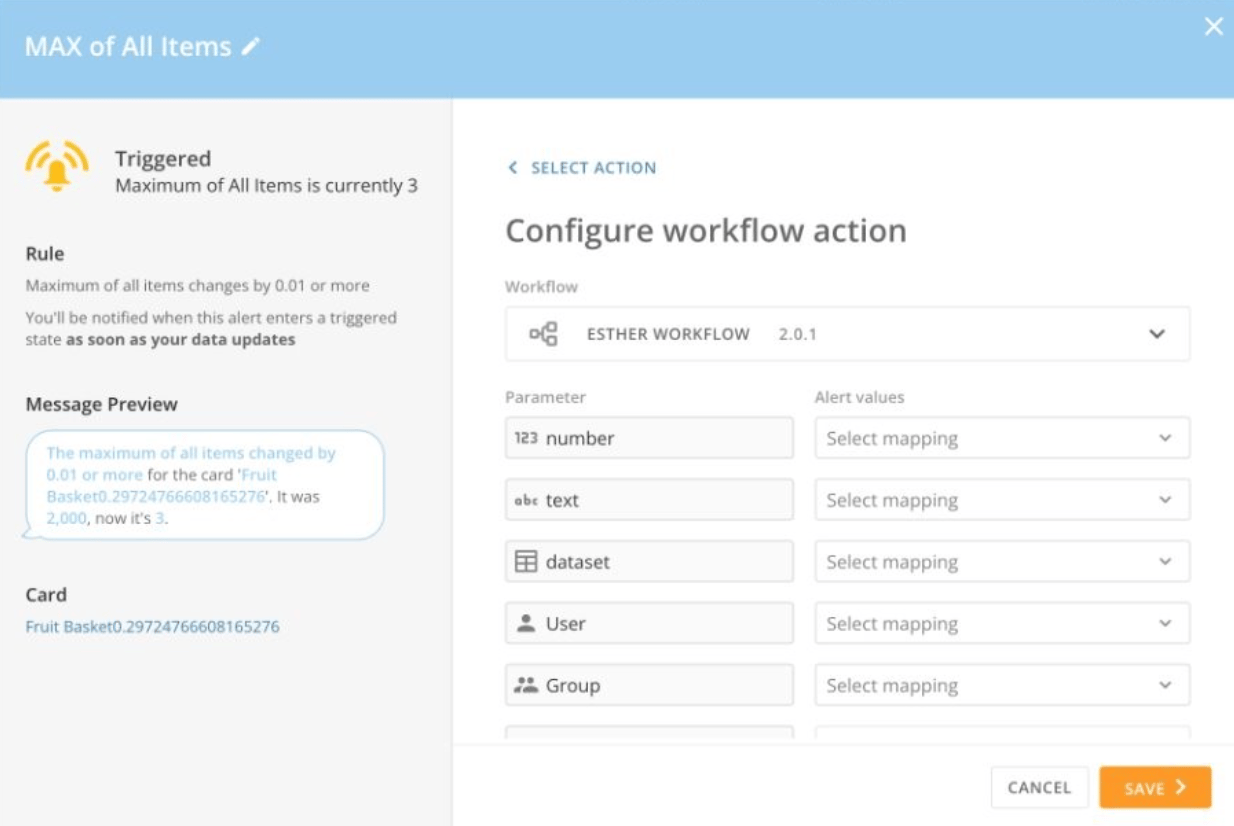
Alerts and Workflows now have new parameter types. These rich parameters support more robust workflows and alert setups.
New parameter types include:
* Date
* Datetime
* User
* Group
* DataSet
* Account data type
Learn how to [create a Magic ETL DataFlow](/s/article/360055259234).
### New Data Types for Alerts to Workflow Mappings
Alerts and Workflows now have new parameter types. These rich parameters support more robust workflows and alert setups.
New parameter types include:
* Date
* Datetime
* User
* Group
* DataSet
* Account data type
 Learn more about [Workflows](https://domo-support.domo.com/s/article/000005108?language=en_US).
Learn more about [Alerts](https://domo-support.domo.com/s/article/360043430533?language=en_US).
### New Icons
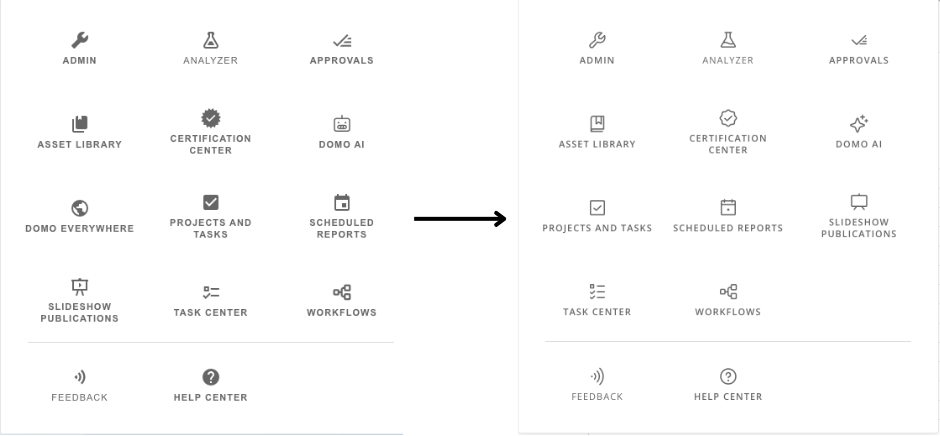
Icons throughout the Domo product have been updated to be more consistent and include fewer inconsistencies. These icons also look more modern and comply with accessibility standards.
Learn more about [Workflows](https://domo-support.domo.com/s/article/000005108?language=en_US).
Learn more about [Alerts](https://domo-support.domo.com/s/article/360043430533?language=en_US).
### New Icons
Icons throughout the Domo product have been updated to be more consistent and include fewer inconsistencies. These icons also look more modern and comply with accessibility standards.
 ### Removal of Auto Preview in Analyzer for Cloud Amplifier DataSets
Auto Preview is now disabled by default for Cloud Amplifier DataSets when you open Analyzer. This update reduces the number of queries produced and lowers costs. You can still turn on Auto Preview in the Analyzer menu.
## Workflows: Initialize Variables
You can now assign an initial value to a variable during the version-builder experience in Workflows. This feature eliminates the need to use start parameters or Code Engine functions to populate variables that require the same value at every start time.
Additional benefits include:
* **Simplified workflow design —** Assign initial values to variables directly during the build process.
* **Consistency —** Ensures that variables always contain the same initial value when initiating a workflow.
* **Improved efficiency —** Reduces unnecessary workflow steps.
* **Enhanced user experience —** Configure an initial value with a few clicks.
### Removal of Auto Preview in Analyzer for Cloud Amplifier DataSets
Auto Preview is now disabled by default for Cloud Amplifier DataSets when you open Analyzer. This update reduces the number of queries produced and lowers costs. You can still turn on Auto Preview in the Analyzer menu.
## Workflows: Initialize Variables
You can now assign an initial value to a variable during the version-builder experience in Workflows. This feature eliminates the need to use start parameters or Code Engine functions to populate variables that require the same value at every start time.
Additional benefits include:
* **Simplified workflow design —** Assign initial values to variables directly during the build process.
* **Consistency —** Ensures that variables always contain the same initial value when initiating a workflow.
* **Improved efficiency —** Reduces unnecessary workflow steps.
* **Enhanced user experience —** Configure an initial value with a few clicks.
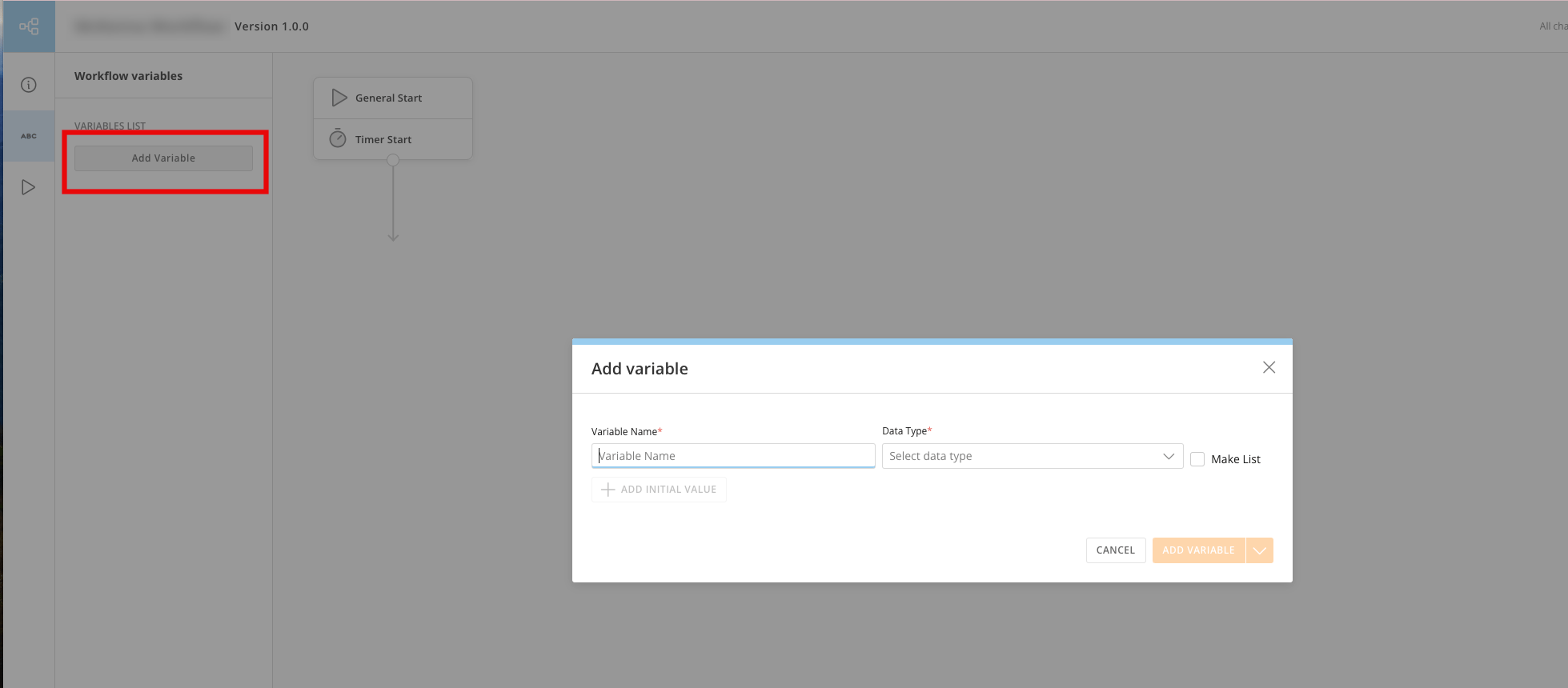 Learn how to [add a variable to a workflow](https://domo-support.domo.com/s/article/000005331?language=en_US#add_a_variable) and assign it an initial value.
## Beta Features
### AI Chat in MS Teams
AI Chat is now available in Beta in MS Teams.
Ask a question about your data and AI Chat answers, providing a detailed breakdown of how it reached the response. You'll also get visualizations, data context, and prompts for additional questions. Go beyond natural language queries and let AI Chat help you accomplish tasks like setting an alert, calling an AI model, and more.
### Amazon Athena and PostgreSQL Read-only Support
Learn how to [add a variable to a workflow](https://domo-support.domo.com/s/article/000005331?language=en_US#add_a_variable) and assign it an initial value.
## Beta Features
### AI Chat in MS Teams
AI Chat is now available in Beta in MS Teams.
Ask a question about your data and AI Chat answers, providing a detailed breakdown of how it reached the response. You'll also get visualizations, data context, and prompts for additional questions. Go beyond natural language queries and let AI Chat help you accomplish tasks like setting an alert, calling an AI model, and more.
### Amazon Athena and PostgreSQL Read-only Support

 Cloud Amplifier now includes read-only support for Athena and PostgreSQL connections. This allows you to use your data without copying or moving it.
Learn more about [Athena](https://domo-support.domo.com/s/article/000005744?language=en_US) and [PostgreSQL](https://domo-support.domo.com/s/article/000005756?language=en_US) on Cloud Amplifier.
### Connectors: Facebook Ads Advanced Multi Account Connector
The new Facebook Ads Advanced Multi Account connector lets you pull data for any number of accounts into one DataSet. This simplifies your data pipeline setup and automatically pulls all your data from Facebook.
Cloud Amplifier now includes read-only support for Athena and PostgreSQL connections. This allows you to use your data without copying or moving it.
Learn more about [Athena](https://domo-support.domo.com/s/article/000005744?language=en_US) and [PostgreSQL](https://domo-support.domo.com/s/article/000005756?language=en_US) on Cloud Amplifier.
### Connectors: Facebook Ads Advanced Multi Account Connector
The new Facebook Ads Advanced Multi Account connector lets you pull data for any number of accounts into one DataSet. This simplifies your data pipeline setup and automatically pulls all your data from Facebook.
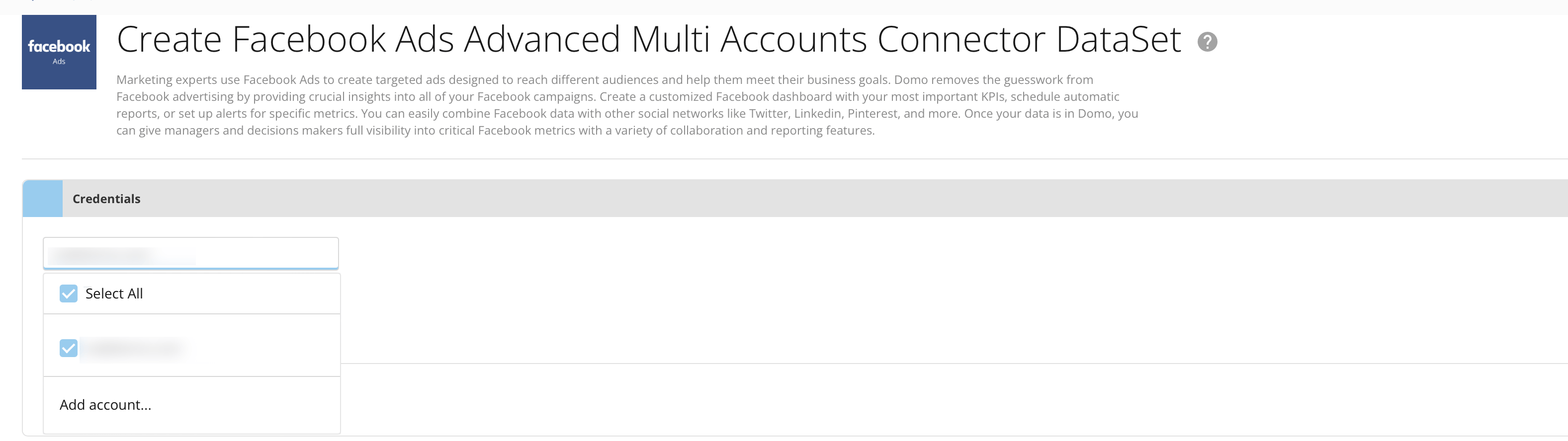 Learn more about the [Facebook Ads Multi Account connector](https://domo-support.domo.com/s/article/000005710?language=en_US).
## Support & Feedback
### Need Support?
Domo provides education, community answers, and technical support.
* Search for a topic in the
[Help Center](https://www.domo.com/domo-central/help)
* Learn from
[Domo University](https://www.domo.com/domo-central/university)
* Search for training apps in the
[Appstore ](https://www.domo.com/appstore/)
* Get answers in the
[Community Forums ](https://community-forums.domo.com/main)
* Contact Technical Support by entering a help ticket in the
[Domo Support Portal ](https://www.domo.com/login/customer-community)
* Reach out to your Domo account team
### Have Feedback?
If you have feedback, please send it from within Domo:
In the navigation header, select **More** > **Feedback.**
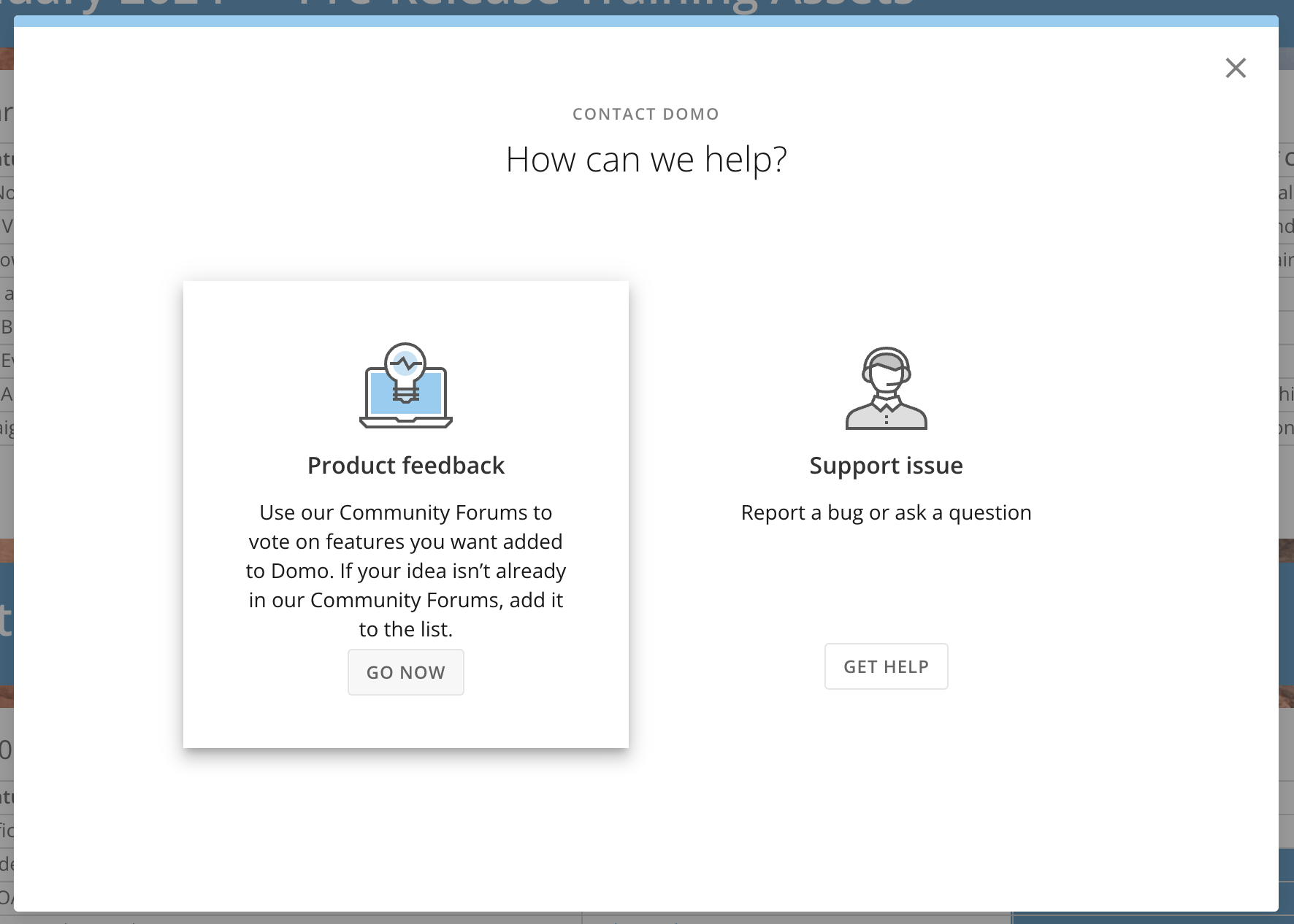
In the **Contact Domo** modal under **Product Feedback**, select **Go Now.**
Learn more about the [Facebook Ads Multi Account connector](https://domo-support.domo.com/s/article/000005710?language=en_US).
## Support & Feedback
### Need Support?
Domo provides education, community answers, and technical support.
* Search for a topic in the
[Help Center](https://www.domo.com/domo-central/help)
* Learn from
[Domo University](https://www.domo.com/domo-central/university)
* Search for training apps in the
[Appstore ](https://www.domo.com/appstore/)
* Get answers in the
[Community Forums ](https://community-forums.domo.com/main)
* Contact Technical Support by entering a help ticket in the
[Domo Support Portal ](https://www.domo.com/login/customer-community)
* Reach out to your Domo account team
### Have Feedback?
If you have feedback, please send it from within Domo:
In the navigation header, select **More** > **Feedback.**
In the **Contact Domo** modal under **Product Feedback**, select **Go Now.**