> ## Documentation Index
> Fetch the complete documentation index at: https://domoinc-openapi-sync-dataflows.mintlify.site/llms.txt
> Use this file to discover all available pages before exploring further.
# Finding Solutions Using the Community Forum
export const InlineImage = ({src, alt = '', height = '1.6em'}) => {
return  ;
};
## Intro
If you have a question about the Domo product, the Community Forum may be able to help. This platform allows Domo customers and employees to post solutions. When you submit a question, the original author can mark the best answers to help future users.
If you're new to the Community Forum, visit the [Welcome Page](https://dojo.domo.com/main/categories/welcome) to learn all the tips and tricks for navigating and getting the most out of Domo's online community.
***
## Submit a New Post
Follow the steps below to post in the Community Forum.
1. Select the **Help Center** in the navigation header.
;
};
## Intro
If you have a question about the Domo product, the Community Forum may be able to help. This platform allows Domo customers and employees to post solutions. When you submit a question, the original author can mark the best answers to help future users.
If you're new to the Community Forum, visit the [Welcome Page](https://dojo.domo.com/main/categories/welcome) to learn all the tips and tricks for navigating and getting the most out of Domo's online community.
***
## Submit a New Post
Follow the steps below to post in the Community Forum.
1. Select the **Help Center** in the navigation header.
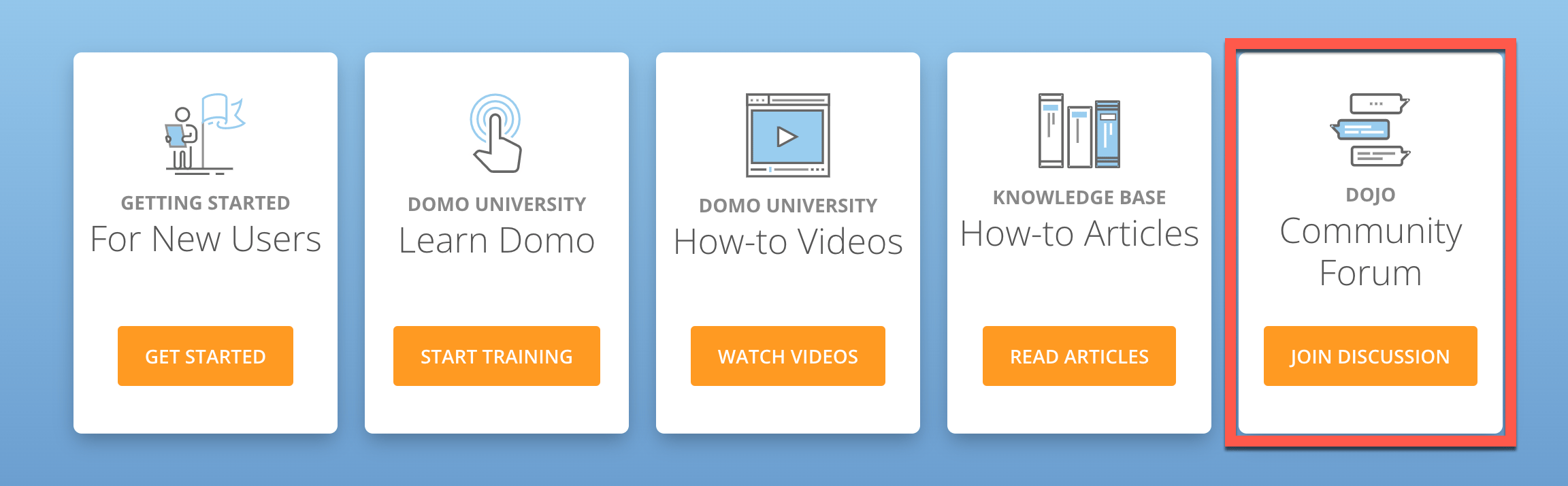
 2. Select the **Join Discussion** button to enter the Community Forum **.**
3. Scroll down and select the **New Post** button and choose **New Discussion, New Idea,** or **Ask a Question.**
## Submit a New Discussion
Follow the steps below to start a discussion about the Domo product.
1. On the main Community Forum page, scroll down and select **New Post** > **New Discussion.**
2. From the **Select a category** menu, choose a subject that best describes your topic.
3. Enter a title and description for the post, and add tags to group your post with others. To see trending topics, select **Show popular tags**.
3. Scroll down and select the **New Post** button and choose **New Discussion, New Idea,** or **Ask a Question.**
## Submit a New Discussion
Follow the steps below to start a discussion about the Domo product.
1. On the main Community Forum page, scroll down and select **New Post** > **New Discussion.**
2. From the **Select a category** menu, choose a subject that best describes your topic.
3. Enter a title and description for the post, and add tags to group your post with others. To see trending topics, select **Show popular tags**.
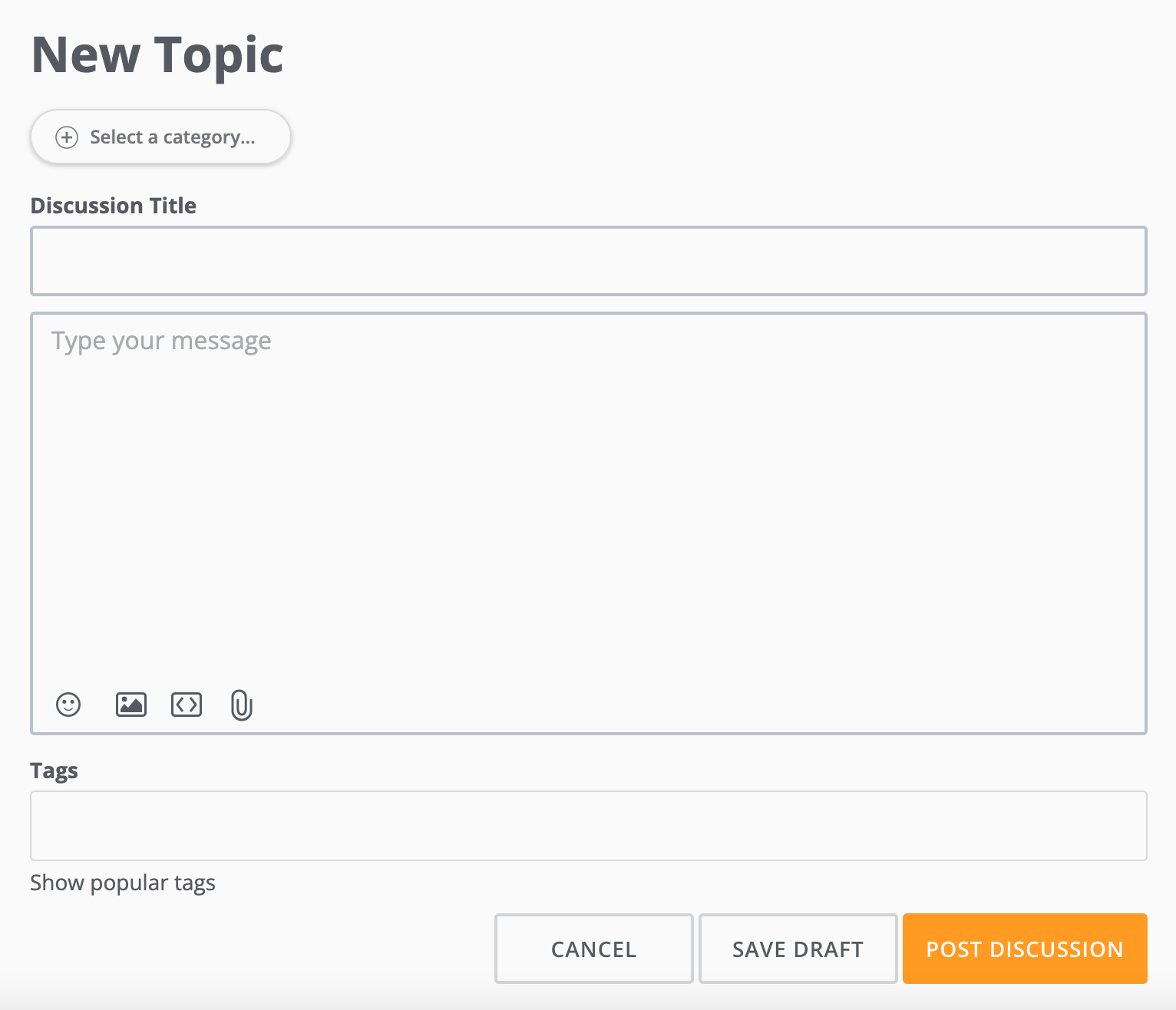 4. Select **Post Discussion**.
The post is added to the Community Forum for others to see and comment on. Any activity displays in **Notifications** and is sent to your email.
4. Select **Post Discussion**.
The post is added to the Community Forum for others to see and comment on. Any activity displays in **Notifications** and is sent to your email.
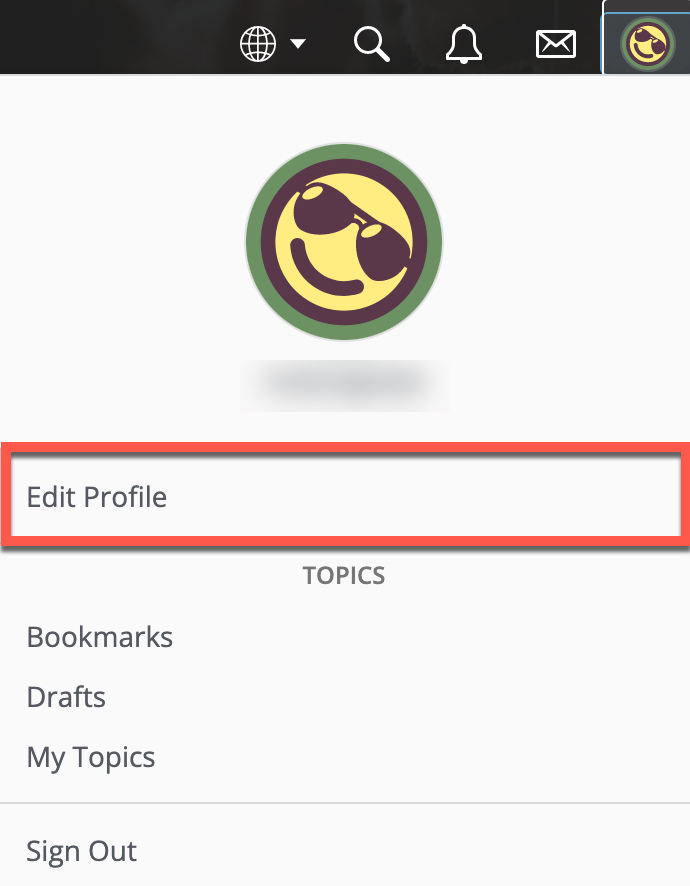
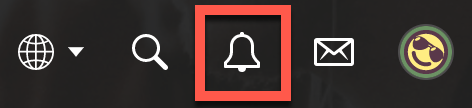 5. (Optional) To change notification preferences, c lick the **Mebox** and choose **Edit Profile** > **Notification Preferences**.
 ## Submit a New Idea
If you have an idea to improve the Domo product, post your suggestions in the **Ideas Exchange**. The Ideas Exchange is a channel in the Community Forum where our product managers regularly review idea submissions. The most upvoted ideas are prioritized for future development. For more information, see our [Submitting Domo Product Feedback](https://domo-support.domo.com/s/article/360042922794) article.
Follow the steps below to suggest a new feature idea.
1. On the main Community Forum page, s croll down and select **New Post** > **New Idea** **.**
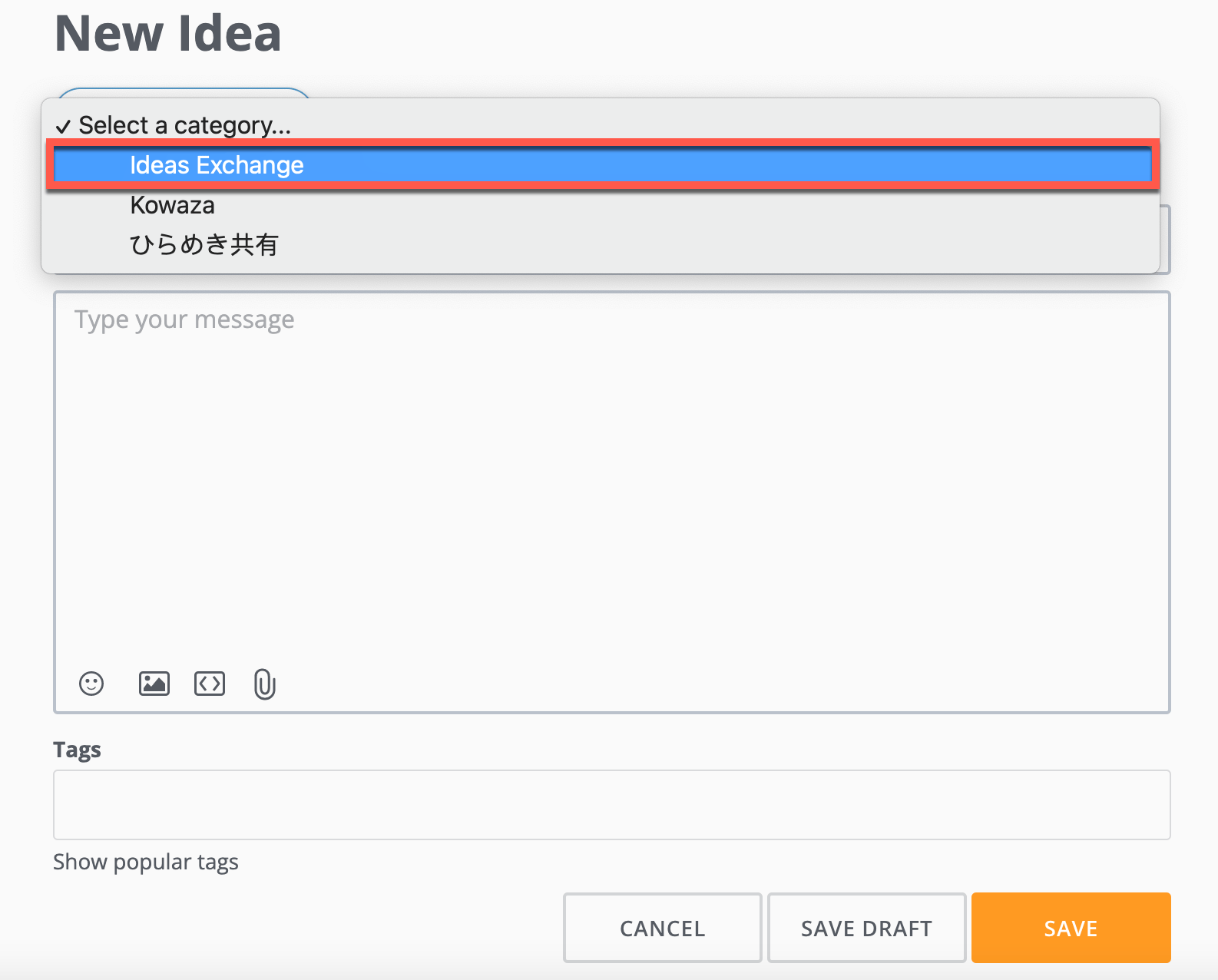
2. From the **Select a Category** menu, choose **Ideas Exchange**.
3. Enter a title, a detailed description for your proposed addition, and tags. You can also add images, files, and URLs. To see trending topics, select **Show popular tags**.
## Submit a New Idea
If you have an idea to improve the Domo product, post your suggestions in the **Ideas Exchange**. The Ideas Exchange is a channel in the Community Forum where our product managers regularly review idea submissions. The most upvoted ideas are prioritized for future development. For more information, see our [Submitting Domo Product Feedback](https://domo-support.domo.com/s/article/360042922794) article.
Follow the steps below to suggest a new feature idea.
1. On the main Community Forum page, s croll down and select **New Post** > **New Idea** **.**
2. From the **Select a Category** menu, choose **Ideas Exchange**.
3. Enter a title, a detailed description for your proposed addition, and tags. You can also add images, files, and URLs. To see trending topics, select **Show popular tags**.
 4. Select **Save**.
The post is added to the Community Forum for others to see, comment on, and **Upvote** . Any activity displays in **Notifications** and is sent to your email.
5. (Optional) To change notification preferences, c lick the **Mebox** and choose **Edit Profile** > **Notification Preferences**.
## Submit a Question
If you're experiencing issues with the Domo product, ask a question on the Community Forum. You're likely to find an answer among the thousands of existing questions and solutions from other Domo users.
Before submitting a question, use the **Search** bar to see if a solution already exists.
4. Select **Save**.
The post is added to the Community Forum for others to see, comment on, and **Upvote** . Any activity displays in **Notifications** and is sent to your email.
5. (Optional) To change notification preferences, c lick the **Mebox** and choose **Edit Profile** > **Notification Preferences**.
## Submit a Question
If you're experiencing issues with the Domo product, ask a question on the Community Forum. You're likely to find an answer among the thousands of existing questions and solutions from other Domo users.
Before submitting a question, use the **Search** bar to see if a solution already exists.
 Follow the steps below to post a question.
1. On the main Community Forum page, s croll down and select **New Post** > **Ask a Question.**
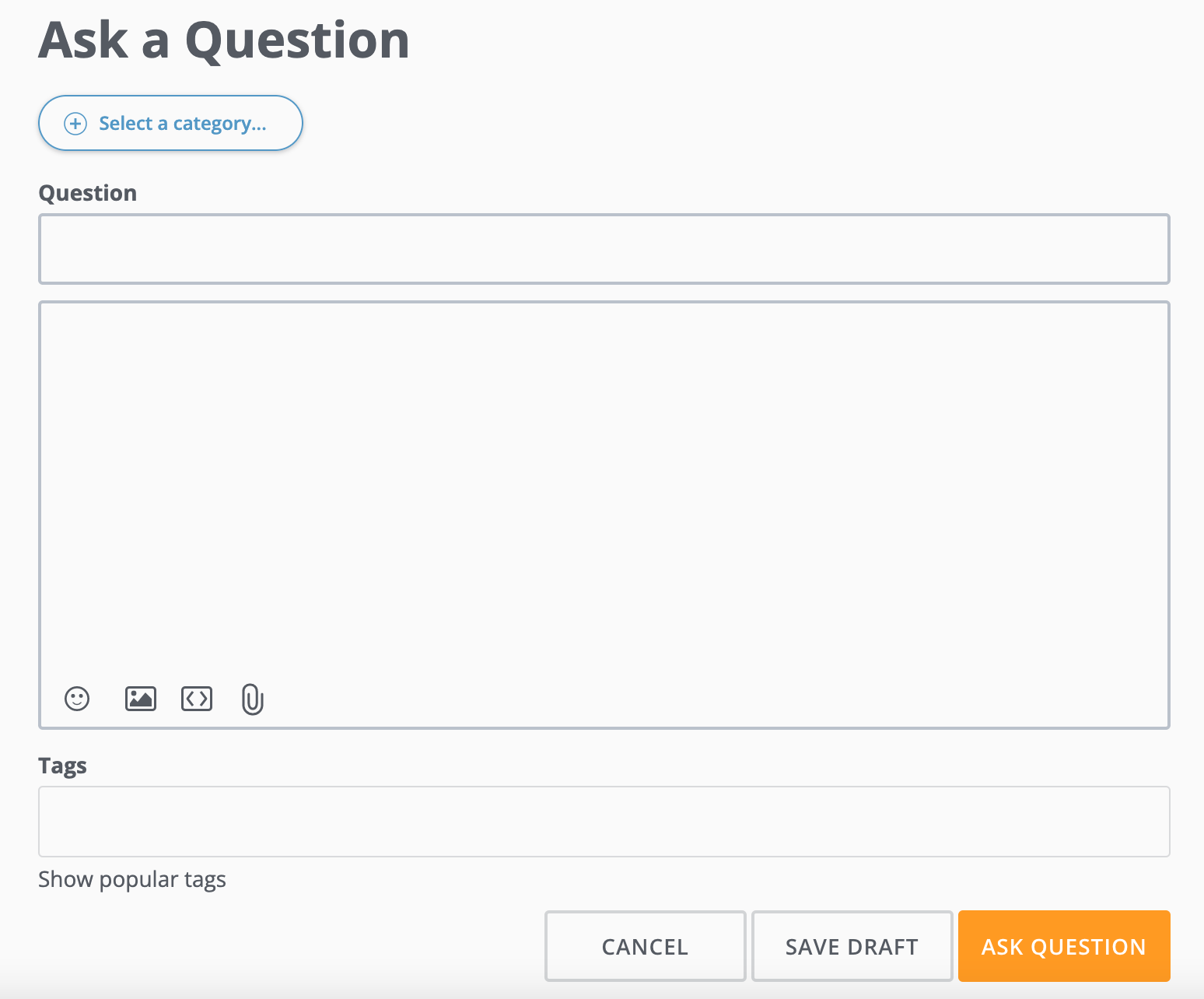
2. From the **+ Select a Category** menu, choose a subject that best describes your question.
3. Add a title, a detailed description the issue you're experiencing, and tags. You can also add images, files, and URLs. To see trending topics, select **Show popular tags**.
Follow the steps below to post a question.
1. On the main Community Forum page, s croll down and select **New Post** > **Ask a Question.**
2. From the **+ Select a Category** menu, choose a subject that best describes your question.
3. Add a title, a detailed description the issue you're experiencing, and tags. You can also add images, files, and URLs. To see trending topics, select **Show popular tags**.
 4. Select **Ask Question**.
The question is added to the Community Forum for others to see and answer. Any activity displays in **Notifications** and is sent to your email.
5. (Optional) To change notification preferences, c lick the **Mebox** and choose **Edit Profile** > **Notification Preferences**.
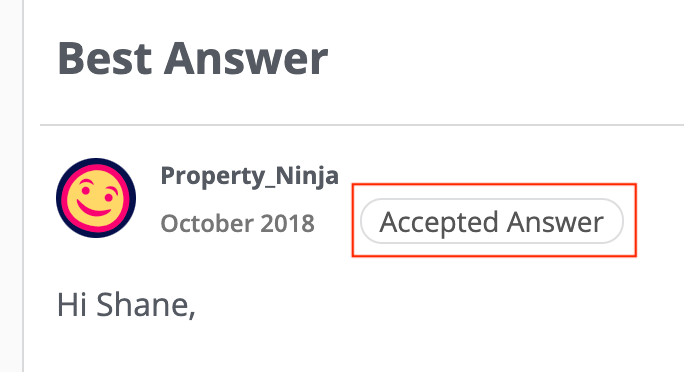
6. When someone offers a great solution for your problem, tag the reply as **Accepted Answer**.
The reply displays directly below the original post.
4. Select **Ask Question**.
The question is added to the Community Forum for others to see and answer. Any activity displays in **Notifications** and is sent to your email.
5. (Optional) To change notification preferences, c lick the **Mebox** and choose **Edit Profile** > **Notification Preferences**.
6. When someone offers a great solution for your problem, tag the reply as **Accepted Answer**.
The reply displays directly below the original post.
 ## Earn Rewards
Ranks in the Community Forum reflect activity and engagement. The rank structure is similar to the karate belt system. Upon registration, each member is assigned a "white belt" rank.
As you ask questions, receive reactions to your posts, and reply to other discussions, you accumulate points. The more points you have, the higher rank association you earn.
As you move up the ranks, you earn rewards. Rewards include a Domopalooza ticket, a VIP spotlight article in the Community Forum, and a physical black belt mailed to you with your name embroidered on it. To learn more about ranks and badges, see the [Ranking & Badge System](https://dojo.domo.com/main/discussion/52264/ranking-badge-system) discussion post.
## Earn Rewards
Ranks in the Community Forum reflect activity and engagement. The rank structure is similar to the karate belt system. Upon registration, each member is assigned a "white belt" rank.
As you ask questions, receive reactions to your posts, and reply to other discussions, you accumulate points. The more points you have, the higher rank association you earn.
As you move up the ranks, you earn rewards. Rewards include a Domopalooza ticket, a VIP spotlight article in the Community Forum, and a physical black belt mailed to you with your name embroidered on it. To learn more about ranks and badges, see the [Ranking & Badge System](https://dojo.domo.com/main/discussion/52264/ranking-badge-system) discussion post.