 ## Requirements and Notes
**API Key:** You can obtain your API Key from your BambooHR instance by clicking **A** **ccount** in the upper right corner, selecting **API Key**, generating a new API key (if needed), and copying/pasting the key into Domo.
**Admin or Privileged Credentials:** Only users with access to view confidential information in BambooHR will have permissions required to fully install this App.
**Default Date Range:** Last 30 days.
## Usage
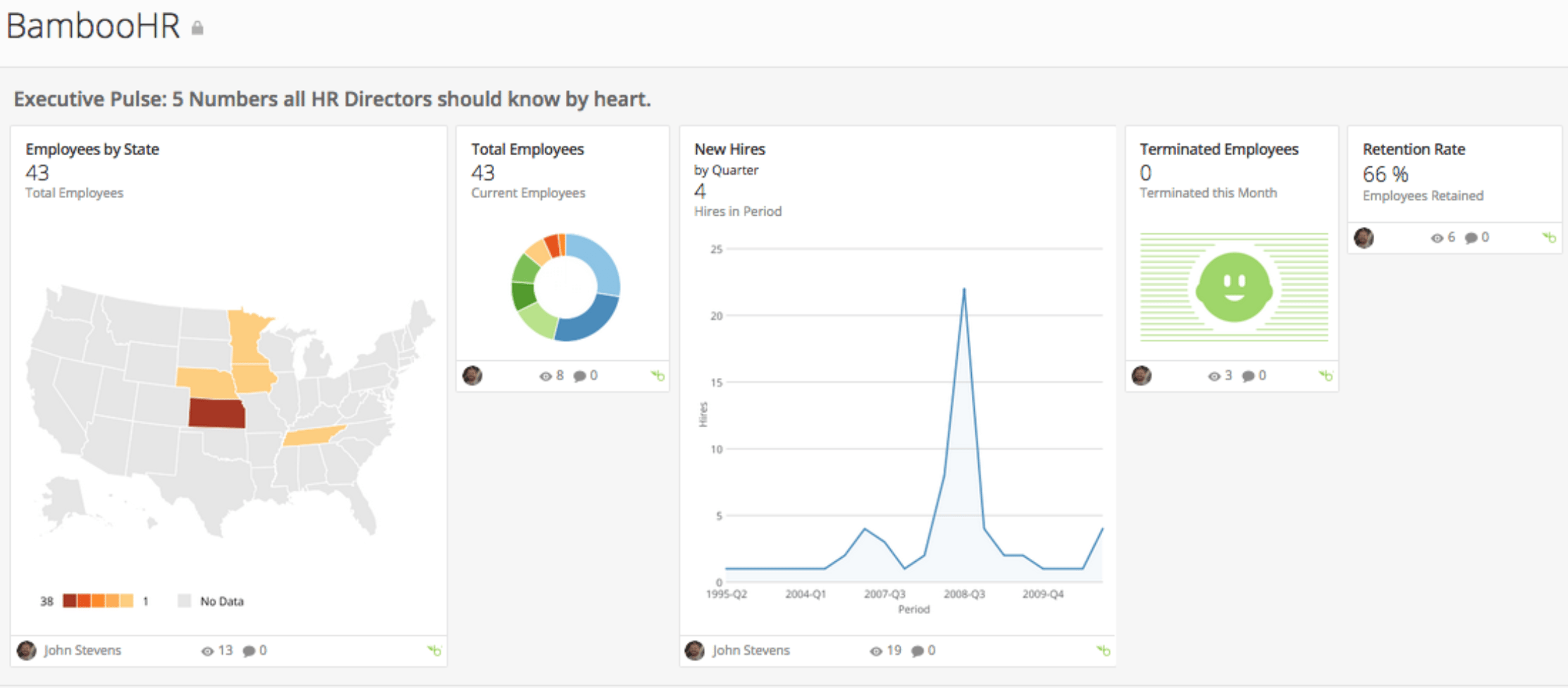
* Executive Pulse: 5 Numbers all HR Directors should know by heart
* Employee Directory
* Employees by Gender
* Age Stratification
* Salaries by Department
* Marital Status by Department
* Demographics: Craft appropriate benefit programs
* Employee Directory
* Employees by Gender
* Age Stratification
* Salaries by Department
* Marital Status by Department
* Diversity: Balance age, gender and race/ethnicity of employees
* Employment Status
* Age by Department
* Employees by Race/Ethnicity
* Department Gender Ratio
* Salary and Age by Race/Ethnicity
* Employee Churn: Analyze terminations and retention
* Retention by Department
* Tenure by Department
* Terminated Employees
* Tenure of Terminated Employees
## Authentication
## Requirements and Notes
**API Key:** You can obtain your API Key from your BambooHR instance by clicking **A** **ccount** in the upper right corner, selecting **API Key**, generating a new API key (if needed), and copying/pasting the key into Domo.
**Admin or Privileged Credentials:** Only users with access to view confidential information in BambooHR will have permissions required to fully install this App.
**Default Date Range:** Last 30 days.
## Usage
* Executive Pulse: 5 Numbers all HR Directors should know by heart
* Employee Directory
* Employees by Gender
* Age Stratification
* Salaries by Department
* Marital Status by Department
* Demographics: Craft appropriate benefit programs
* Employee Directory
* Employees by Gender
* Age Stratification
* Salaries by Department
* Marital Status by Department
* Diversity: Balance age, gender and race/ethnicity of employees
* Employment Status
* Age by Department
* Employees by Race/Ethnicity
* Department Gender Ratio
* Salary and Age by Race/Ethnicity
* Employee Churn: Analyze terminations and retention
* Retention by Department
* Tenure by Department
* Terminated Employees
* Tenure of Terminated Employees
## Authentication
Credential | Description |
|---|---|
Company Domain | Enter your company domain name or the URL of your company BambooHR instance. |
API Key | 1. Sign into your BambooHR account. 2. Click your name in the upper right hand corner of the page. 3. Click API Keys. 4. Click Add a New Key. |
Report | Schedule Update Setting | Parameters | Selection |
|---|---|---|---|
Employee Data | Replace | Report Data | Employee Data |
Report Fields | All Fields | ||
Custom Fields | No Fields |