

Note: This feature is in public open beta. To participate, simply follow the instructions in this article. Domo AI is available to customers on a consumption agreement. Those not on a consumption agreement can request a trial by reaching out to their Customer Success Manager (CSM).
Intro
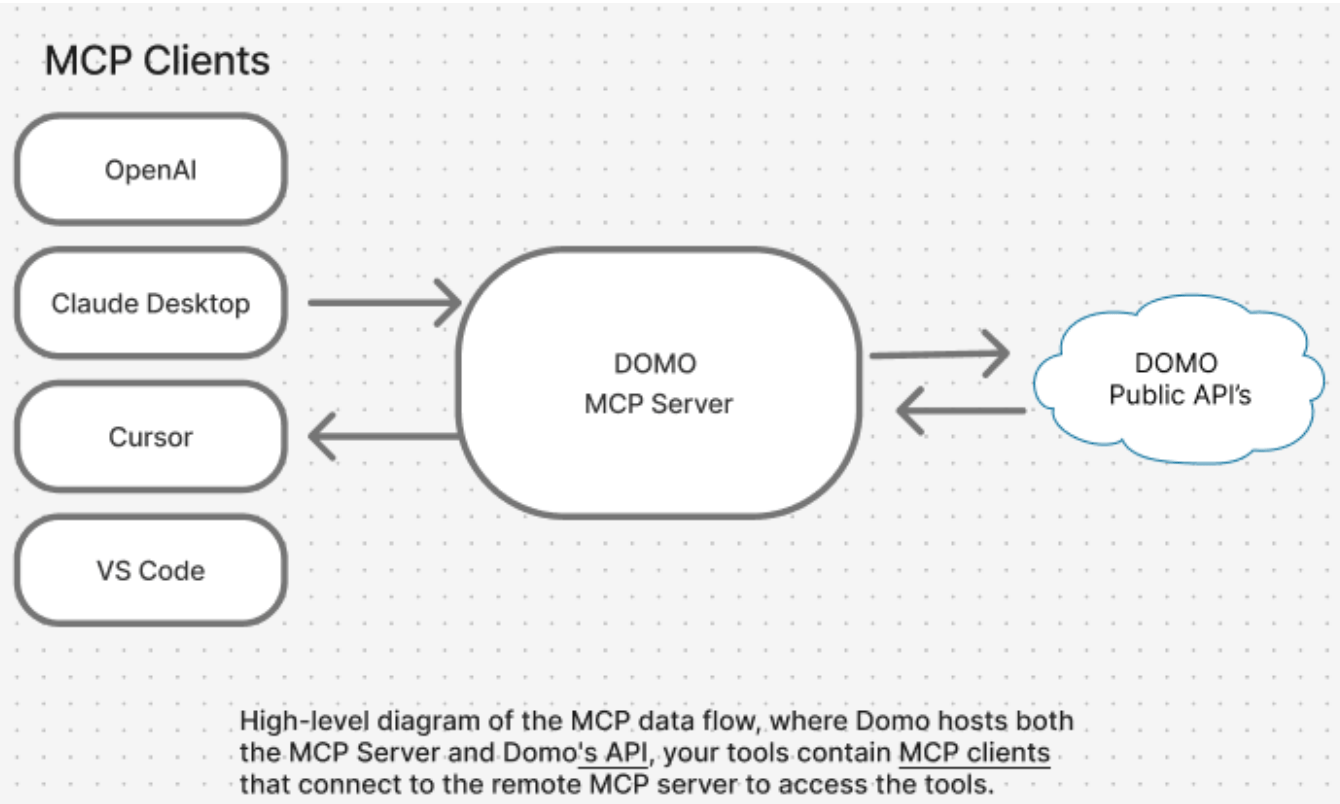
This article explains how to connect Claude Desktop, Claude Code, or VS Code to Domo’s MCP Server—using OAuth (recommended) or manual configuration—and verify your connection. After you’re connected, you can use your AI tool to:- Query data in your Domo DataSets
- Query Document Collections stored in Domo
- Search across your Domo instance
- Summarize cards and dashboards (coming soon)
Required Grants
To use the AI Library feature, the following grants must be enabled for your role:- Use AI Services — Access to features and Apps built using the AI Services Layer.
- Use AI Chat — Access to the Domo AI Assistant.
Connect to the Domo Essentials MCP Server
Consumption Considerations for MCP
Each tool call incurs an AI operation charge:- Search incurs a few hundred tokens.
- Query incurs a few thousand tokens.
- Token usage varies by tool.